3.2 Companies and Employees
Parties and companies are part of standard Tryton, not of the real estate module. This page only gives an overview of the forms and the fields that matter for real estate management; the other tabs are described in the Tryton documentation.
A company is itself a party in Tryton: name, address, language and contact details are maintained on the party; the company adds currency, timezone and the settings for employees, taxes, reports and accounting. The first company is created during the initial setup, see 2.1 System Requirements and Installation. All real estate data – properties, contracts, postings – belongs to exactly one company.
Company Form
Menu Unternehmen › Unternehmen (Company › Companies).
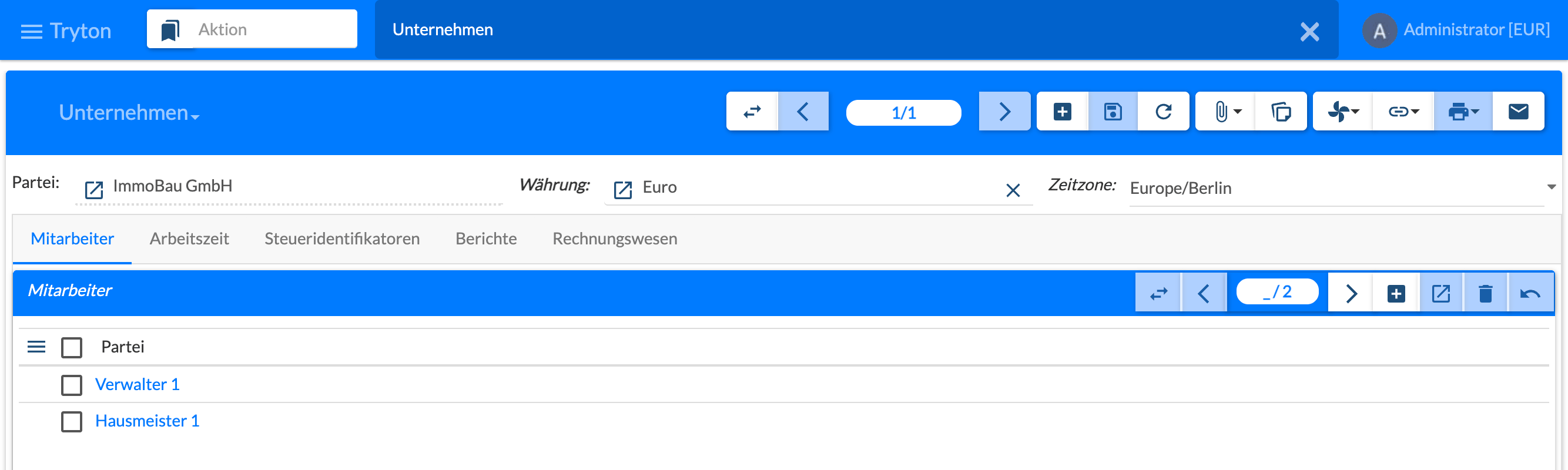
The header holds Partei (the party of the company), Währung (company currency, e.g. Euro) and Zeitzone (timezone, e.g. Europe/Berlin). Below follow the tabs Mitarbeiter (employees), Arbeitszeit (work time), Steueridentifikatoren (tax identifiers), Berichte (reports) and Rechnungswesen (accounting).
Employees
Employees are parties as well. The tab Mitarbeiter lists the employees of the company – in the figure a property manager and a caretaker; a click on the name opens the party. + assigns an employee. All employees are also listed in the menu Unternehmen › Mitarbeiter.
Employees are assigned to a user, see 2.3 Users, Login and Permissions, and can be responsible for objects and tasks via party roles, see 3.3 Party Roles.
Tax Identifiers
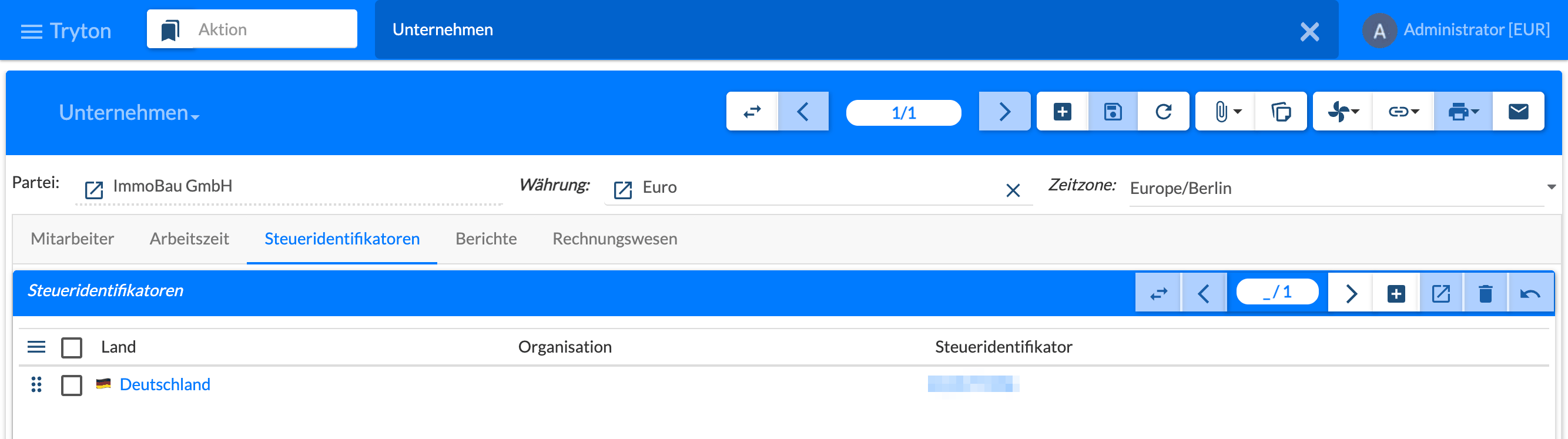
The tab Steueridentifikatoren (tax identifiers) defines which tax number the company uses per Land (country), optionally per Organisation, e.g. on invoices. The selected Steueridentifikator is an identifier entered on the party of the company in the tab Identifikatoren – the number itself is maintained on the party, see 3.1 Managing Parties.
Reports
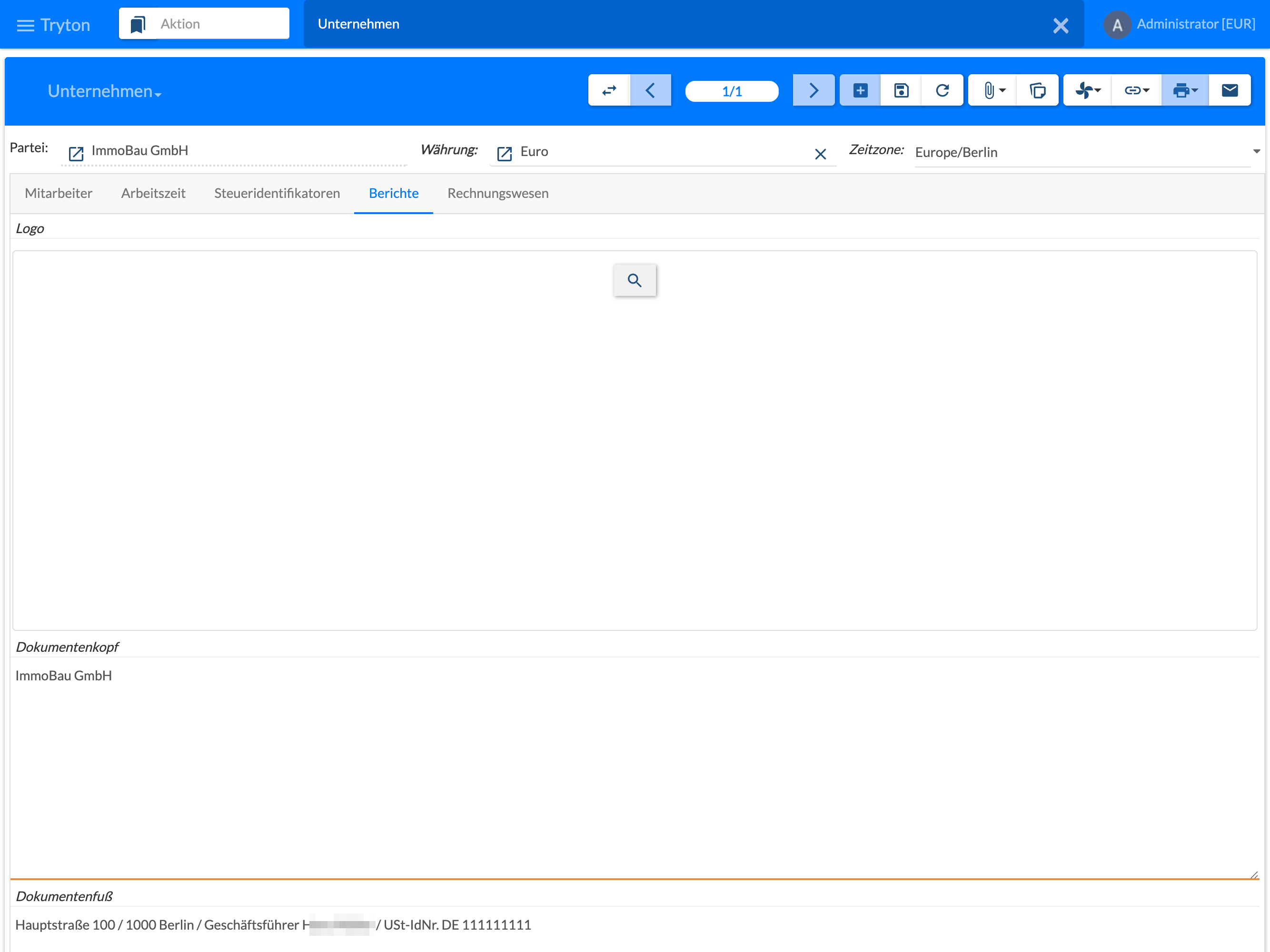
The tab Berichte (reports) holds Logo, Dokumentenkopf (document header) and Dokumentenfuß (document footer) for the correspondence and reports of the company, e.g. rent increase letters, settlements and invoices. The footer typically contains address, management and VAT ID.
Accounting
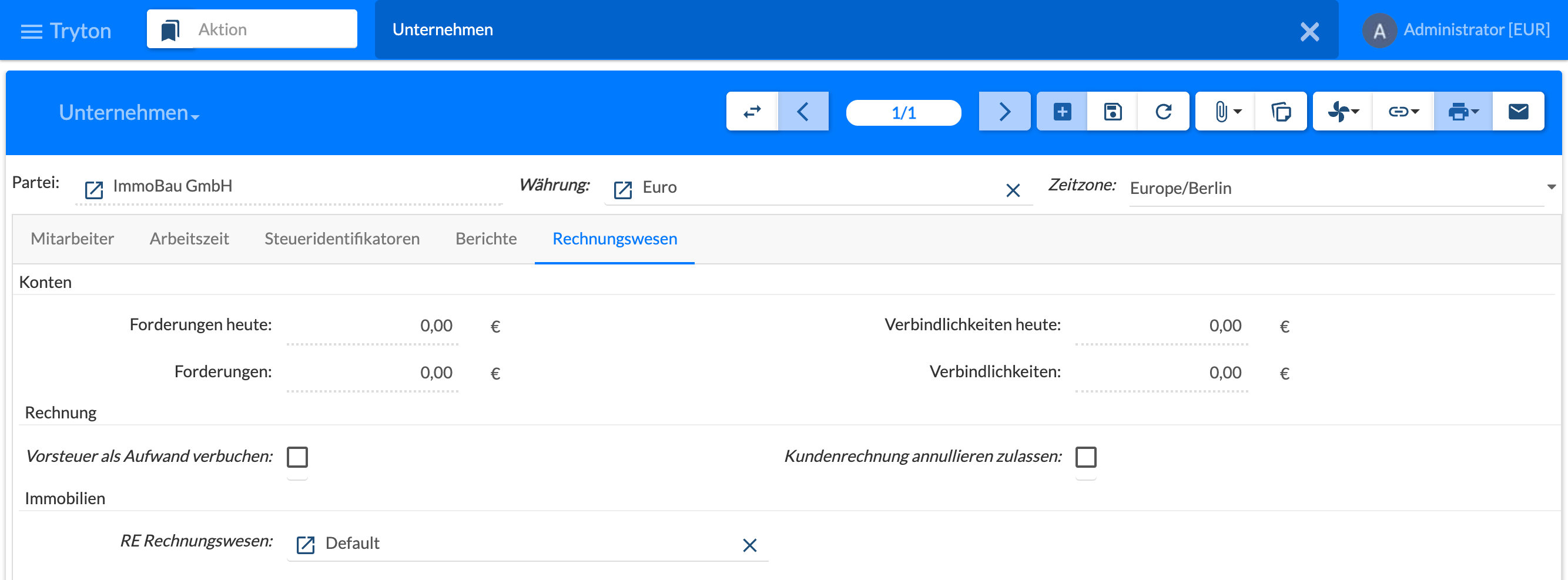
The tab Rechnungswesen (accounting) shows under Konten (accounts) the current Forderungen (receivables) and Verbindlichkeiten (payables) of the company (total and due today). Under Rechnung (invoice) are the settings Vorsteuer als Aufwand verbuchen (book input tax as expense) and Kundenrechnung annullieren zulassen (allow cancelling customer invoices).
Under Immobilien (real estate), RE Rechnungswesen (real estate accounting) selects the set of real estate settings that applies to the company, in the figure “Default”. Among other things it controls payment terms and lead times of the module, see 2.5.1 Accounting.