5.3 Rental Objects
Rental objects are the units that can be let, e.g. apartments, commercial units or parking spaces. They belong to a building, to land or directly to the property and are maintained with the same form as the property; only the differences are described here.
Getting Started
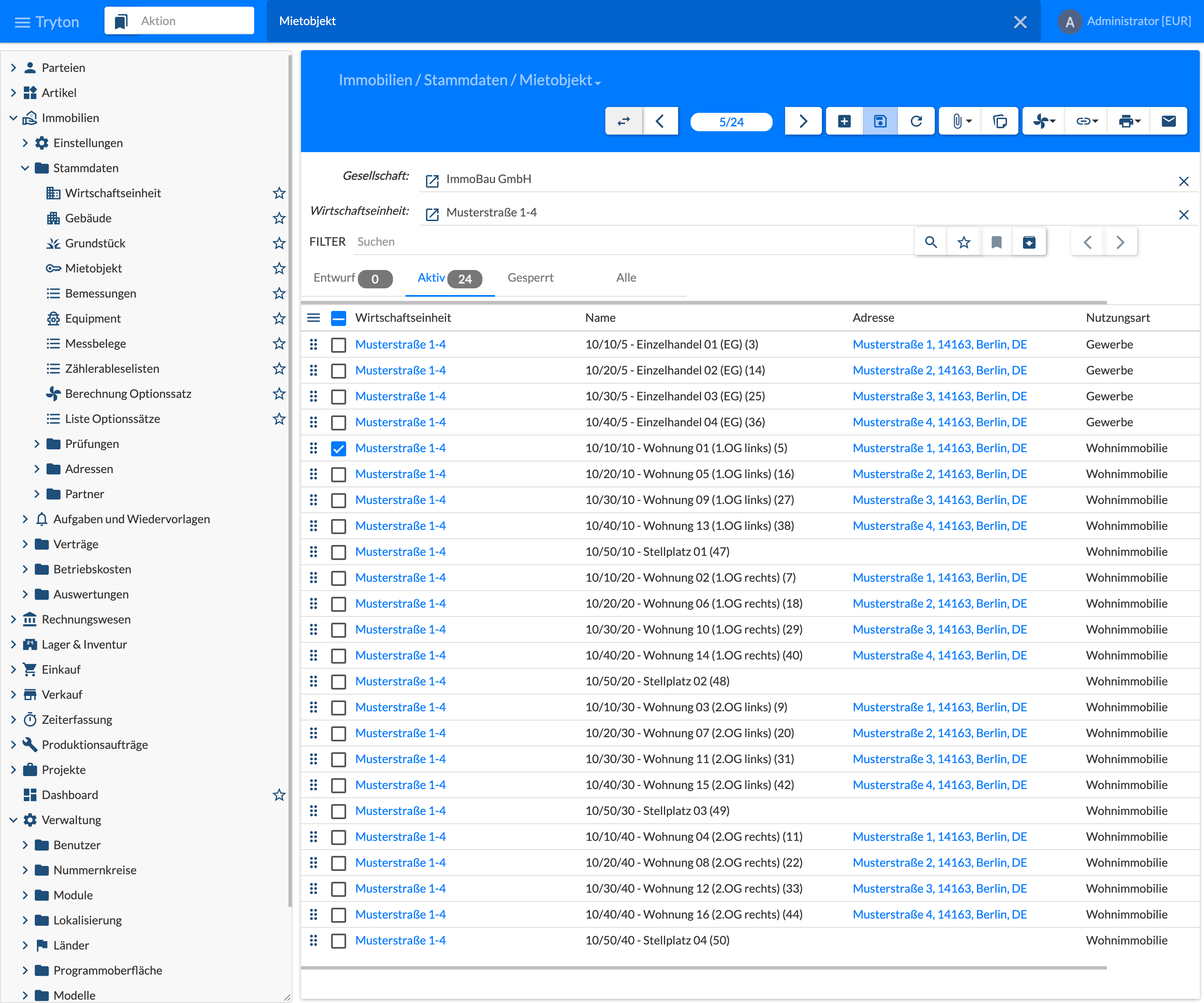
Open the menu Immobilien › Stammdaten › Mietobjekt (Real Estate › Master Data › Rental Object). The list shows the rental objects of the company displayed at the top with property, name, address and type of use. The field Wirtschaftseinheit (Property) restricts the list to one property. Tabs, creating and editing as for the property.
Create and Edit
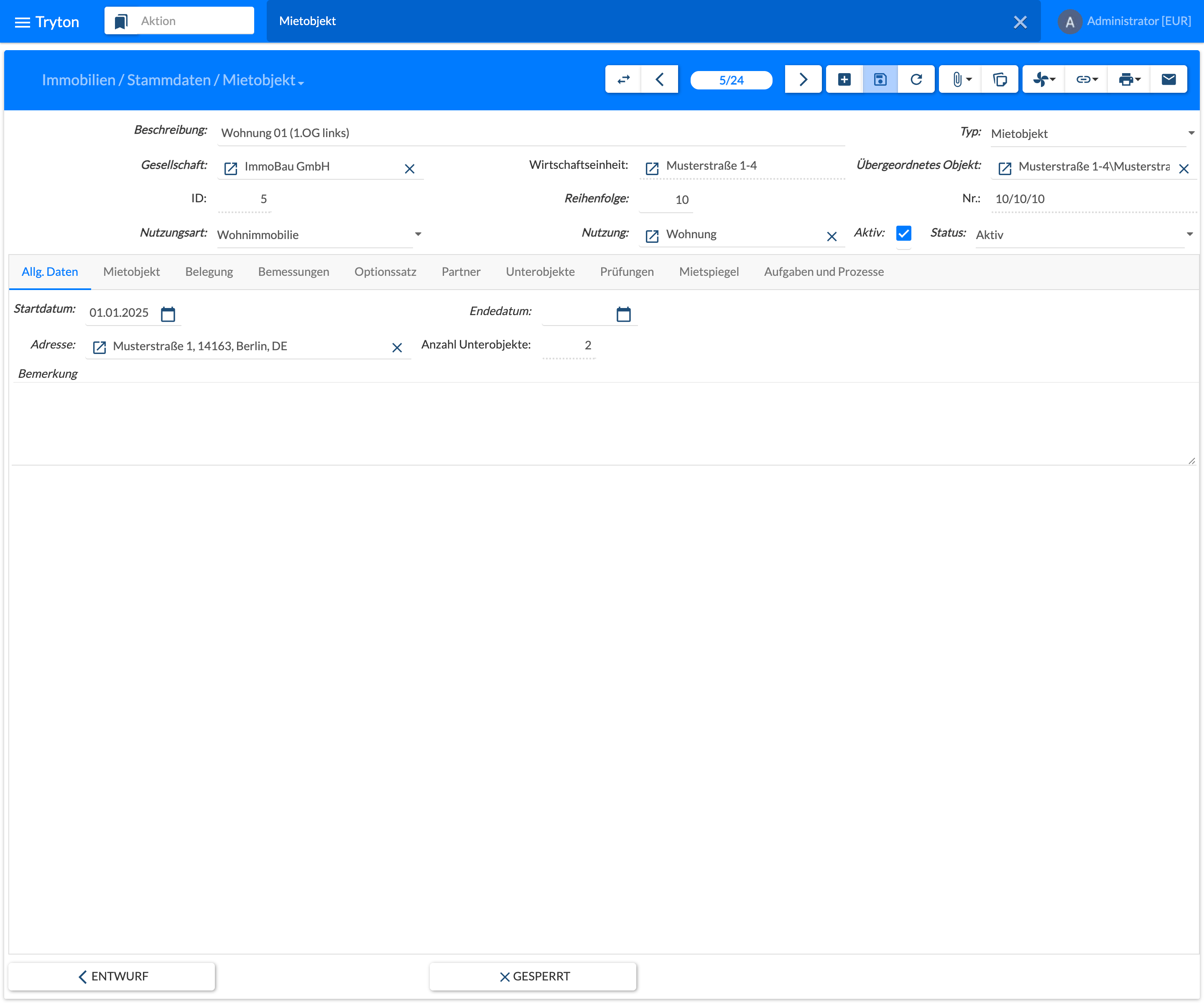
The header of the form corresponds to the building. Additional or different:
| Field | Description |
|---|---|
| Typ (Type) | Here Mietobjekt (Rental Object). |
| Übergeordnetes Objekt (Parent) | Property, building or land the rental object belongs to. Required. |
| Nr. (No) | Built from the number of the parent object and the sequence, e.g. 10/10/10. |
| Nutzungsart (Type of Use) | Economic use: Wohnimmobilie (residential), Gewerbe (commercial), Wohneigentum (owner-occupied) or Interne Nutzung (internal use). It determines which contract types can be selected and presets the option rate method (commercial: opted 100 %, otherwise 0 %). |
| Nutzung (Use) | Use class, e.g. Wohnung (apartment), Büro (office), Einzelhandel (retail), Lager (warehouse), Garage or Stellplatz (parking); the classes are defined in 2.5.3 Real Estate Master Data. Among other things it controls whether a basement or parking number is entered. |
The tab Allg. Daten (General) contains start date, end date, address, number of sub-objects and comment as for buildings.
Tab Mietobjekt (Rental Object)
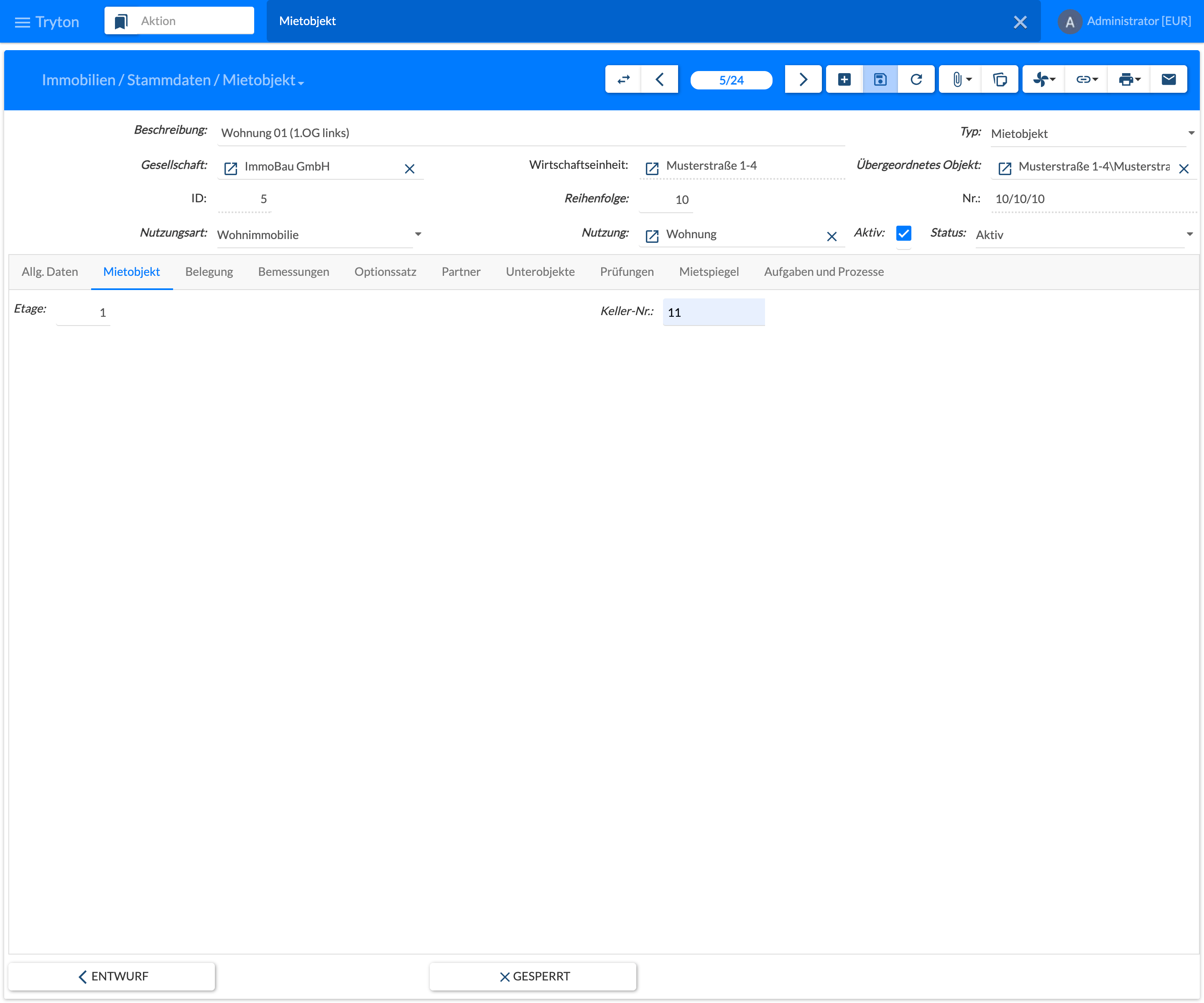
| Field | Description |
|---|---|
| Etage (Floor) | Floor on which the rental object is located. |
| Keller-Nr. (Basement Number) | Number of the related basement compartment; only shown if the use provides for a basement compartment. |
| Stellplatz-Nr. (Parking Number) | Number of the parking space; only shown if the use provides for a parking number (not in the figure). |
Tab Belegung (Occupancy)
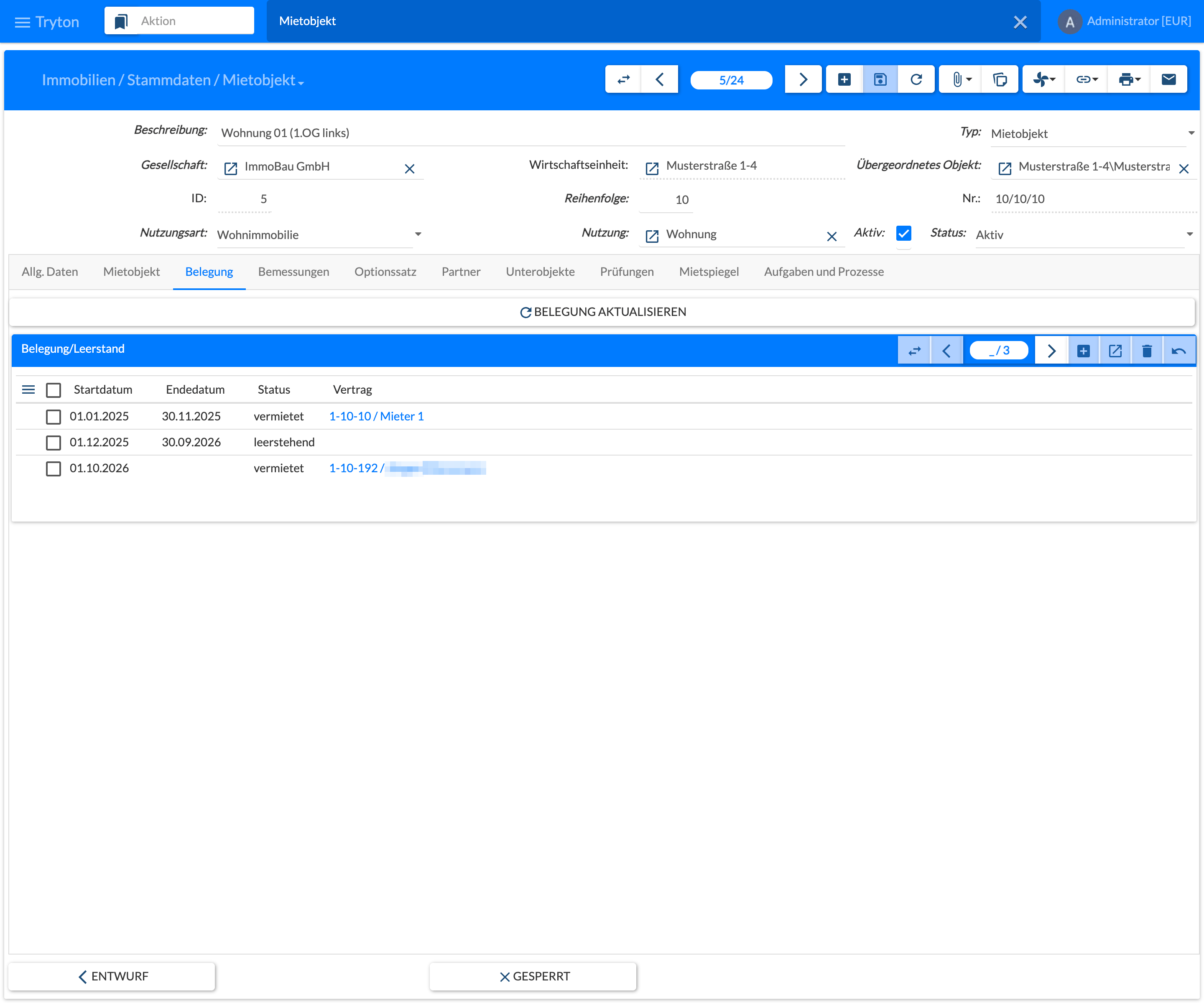
Time overview of when the rental object was let or vacant. The occupancy is derived from the contracts.
| Field | Description |
|---|---|
| Belegung aktualisieren (Refresh Occupancy) | Recalculates the occupancy of the rental object from the contracts. |
| Startdatum / Endedatum (Start / End Date) | Period of the entry; empty end date = open. |
| Status (State) | vermietet (rented), leerstehend (vacant) or in Verhandlung (under negotiation). |
| Vertrag (Contract) | Lease of the period, see 6.1 Creating and Maintaining Contracts. |
An overview of all rental objects is provided by 6.5 Occupancy and Vacancy.
Further Tabs
The tabs Bemessungen, Optionssatz, Partner, Unterobjekte, Prüfungen, Mietspiegel and Aufgaben und Prozesse are structured as for the property. For rental objects the option rate method “dynamic by measurement” is not available. In addition, for rental objects:
- Partner (Parties): The shipped role Eigentümer (Owner) is available, e.g. for the owner of a condominium.
- Unterobjekte (Sub-Objects): Only equipment, e.g. smoke detectors, fitted kitchen or meters, see 5.4 Equipment and Technical Installations.
- Prüfungen (Inspections): Instead of inspection plans the tab shows the inspection lines of the rental object, e.g. the line of the apartment in the smoke detector check, and its open defects.
- Aufgaben und Prozesse (Tasks and Processes): In addition to the tasks of the rental object, the tasks of the contracts of the rental object are shown. If the rental object is vacant, the process Leerstand / Neuvermietung (Vacancy / Reletting) is started via Actions › Prozess starten. It creates six tasks: record meter readings and secure the unit, inspect the unit and commission repairs (both for the role caretaker), determine the new rent, advertise the unit, viewings and selection of the tenant, create the new lease contract. See 10.2 Processes.
Actions, Relate and Print
| Menu | Entry | Meaning |
|---|---|---|
| Actions | Neue Aufgabe (New Task) | Creates a task for the rental object. |
| Actions | Prozess starten (Start Process) | Starts a process from a template. |
| Actions | Belegung aktualisieren (Refresh Occupancy) | Same as the button in the tab Occupancy. |
| Actions | Merkmale erfassen (Assign Features) | Checklist of the rent survey features of the rental object, see tab Rent Survey. |
| Actions | Kopieren von Mietobjekt (Copy from Rental Unit) | Take over the features – optionally also the classes – of another rental object of the same property. |
| Actions | Vergleichsmiete berechnen (Calculate Comparative Rent) | Calculates the local comparative rent according to the rent survey (apartments), see 6.7 Rent Adjustments. |
| Actions | Entwurf, Gesperrt (Draft, Locked) | Change of state, same as the buttons at the bottom of the form. |
| Actions | Aktuelle Sicht übersetzen (Translate View) | Tryton standard function to translate the labels. |
| Relate | E-Mail Archive, Objekt, Zählerableselisten | Opens related records in a new tab, as for the property. |
| Datenblatt (Fact Sheet) | Fact sheet of the rental object. |