5.6 Option Rates
The option rate states which share of the input VAT on purchase invoices is deductible because the owner has opted for VAT on the letting (§ 9 UStG). It is kept per object, billing unit and settlement unit with a valid-from date and is proposed automatically when purchase invoices are entered. The method is maintained in the tab Optionssatz (Option Rate) of the object, see 5.1 Property.
| Option rate method | Option rate |
|---|---|
| optiert nicht (0,0 %) fix (not opted, fixed 0 %) | always 0 % – the input VAT is an expense |
| optiert (100,0 %) fix (opted, fixed 100 %) | always 100 % – the input VAT is fully deductible |
| Optionssatz fix nach Wert (fixed by value) | fixed percentage entered in the tab Option Rate |
| dynamisch über Bemessung (dynamic by measurement) | calculated: average of the option rates of the rental objects, weighted by a measurement (e.g. living/usable area); not for rental objects themselves |
If the company is set to always book input VAT as an expense, there is no option rate; the tab is hidden then.
Berechnung Optionssatz (Update Option Rates)
The wizard recalculates the option rates for a selection and creates a new entry where the rate changes. It is run e.g. after a change between residential and commercial letting or after changed areas.
The same calculation can also run periodically: as the job Optionssatz aktualisieren (Update Option Rate), e.g. monthly on the 1st. It calculates all properties of the company as of the current date; the new rate is valid from the first of the month. The job is set up in 2.6 Jobs and Periodic Tasks.
Selection
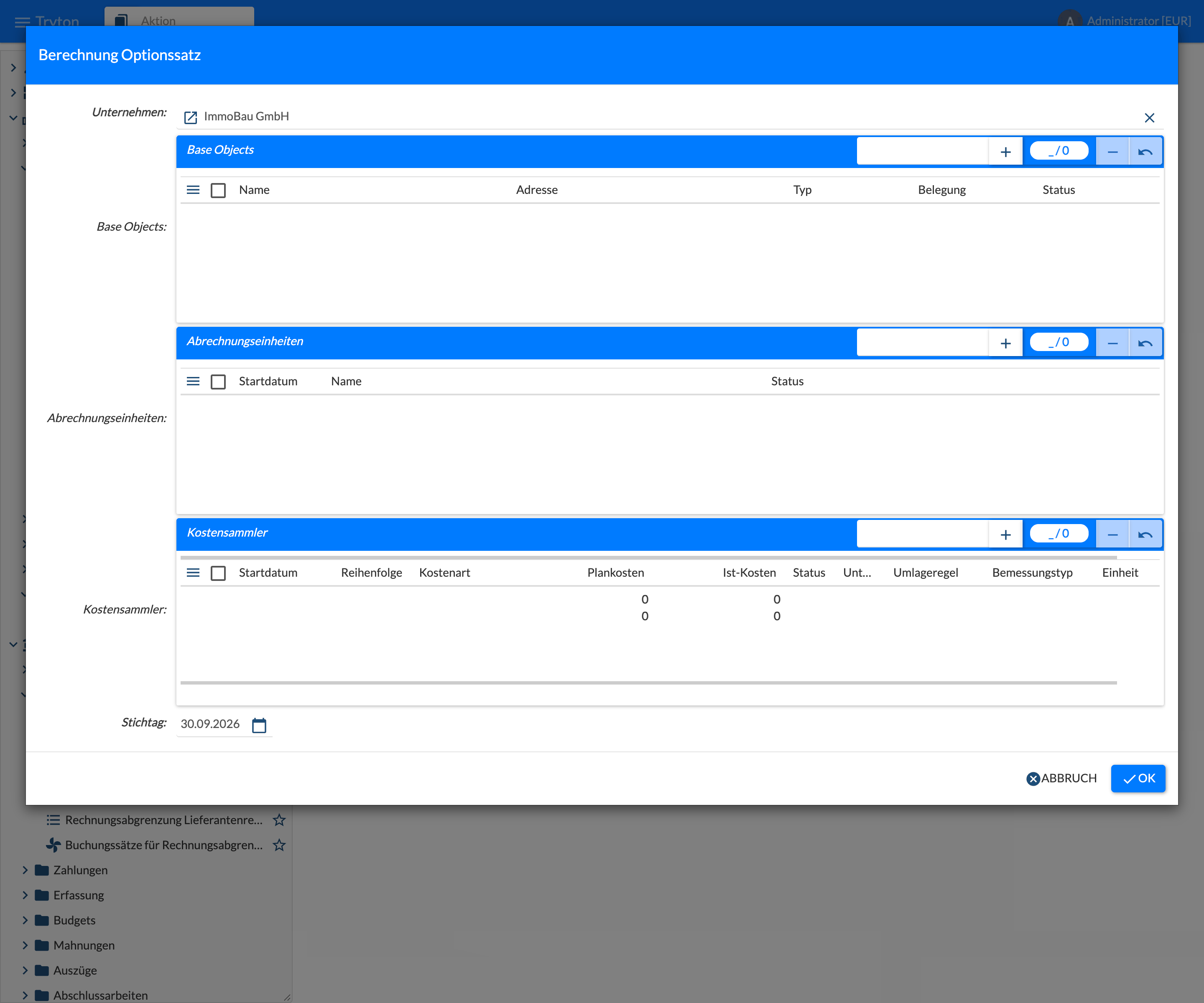
Open the menu Immobilien › Stammdaten › Berechnung Optionssatz (Real Estate › Master Data › Update Option Rates).
| Field | Description |
|---|---|
| Unternehmen (Company) | Company whose objects are calculated. Required. |
| Base Objects | Properties, buildings, land or rental objects. Selected properties, buildings and land are expanded to all objects below them, a property additionally to its billing units and settlement units. |
| Abrechnungseinheiten (Billing Units) | Billing units; they are expanded to their settlement units. |
| Kostensammler (Settlement Units) | Individual settlement units. |
| Stichtag (Cut-off Date) | Date of the calculation. The new option rate is valid from the first of this month. Default: today. |
If the three lists are left empty, all properties of the company are calculated.
Confirm
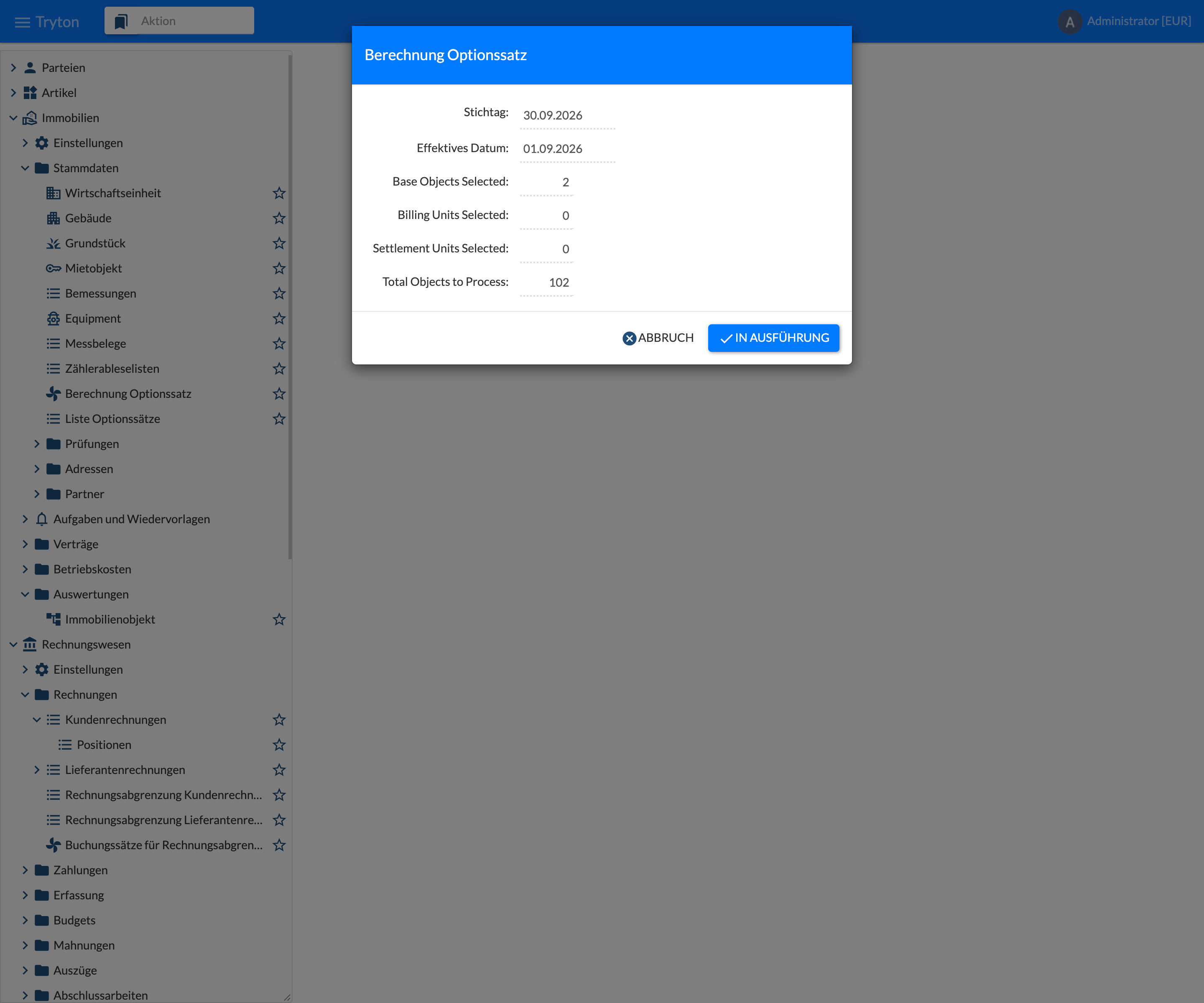
The second step shows Stichtag and Effektives Datum (effective date: first of the month from which the new rate applies), the number of selected base objects, billing units and settlement units and the total number of objects to process after expansion. In the example 2 properties become 102 objects. In Ausführung (Process) starts the calculation.
Calculation per object:
- fixed 0 % / fixed 100 % / fixed by value: the rate is taken over directly.
- dynamic by measurement: every active rental object below contributes its measurement at the cut-off date as weight and its own option rate; the result is the weighted average, rounded to 2 decimals. An object that is not active excludes its whole subtree. For billing units and settlement units their assigned rental objects count.
- Objects that are not Aktiv (active) as well as billing units and settlement units in the state draft or billed are not processed.
Result
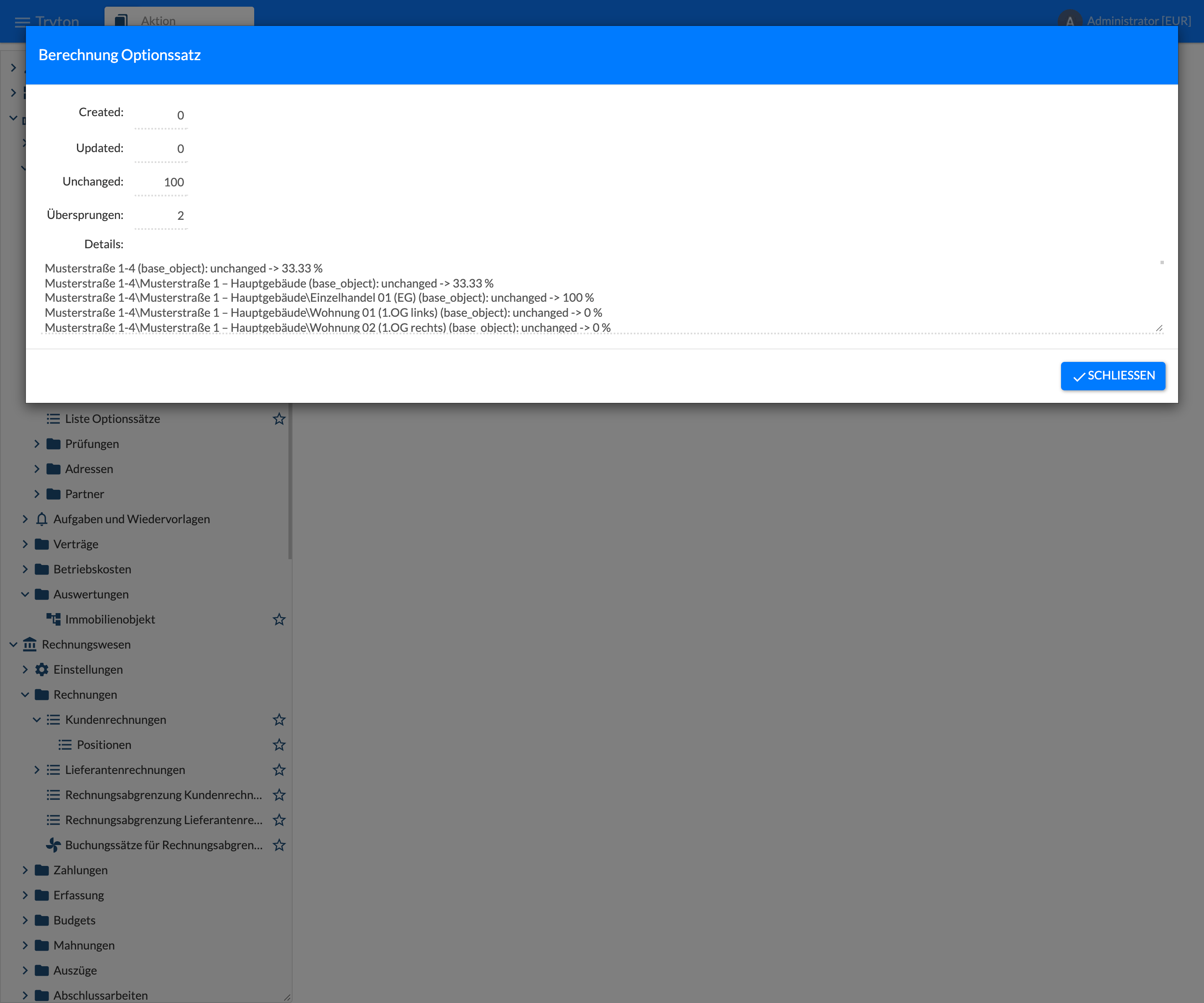
| Field | Meaning |
|---|---|
| Created | New option rate entry, valid from the first of the month. |
| Updated | An entry for the same first of the month already existed; it was overwritten. |
| Unchanged | The calculated rate equals the current one; nothing is written. |
| Übersprungen (Skipped) | No rate could be calculated, e.g. for “dynamic by measurement” without measurements. |
| Details | One line per object with result and rate, e.g. “Musterstraße 1-4 (base_object): unchanged -> 33.33 %”. |
In the example the apartments have 0 %, the commercial unit 100 % and building and property the weighted rate of 33.33 %.
Liste Optionssätze (Option Rates)
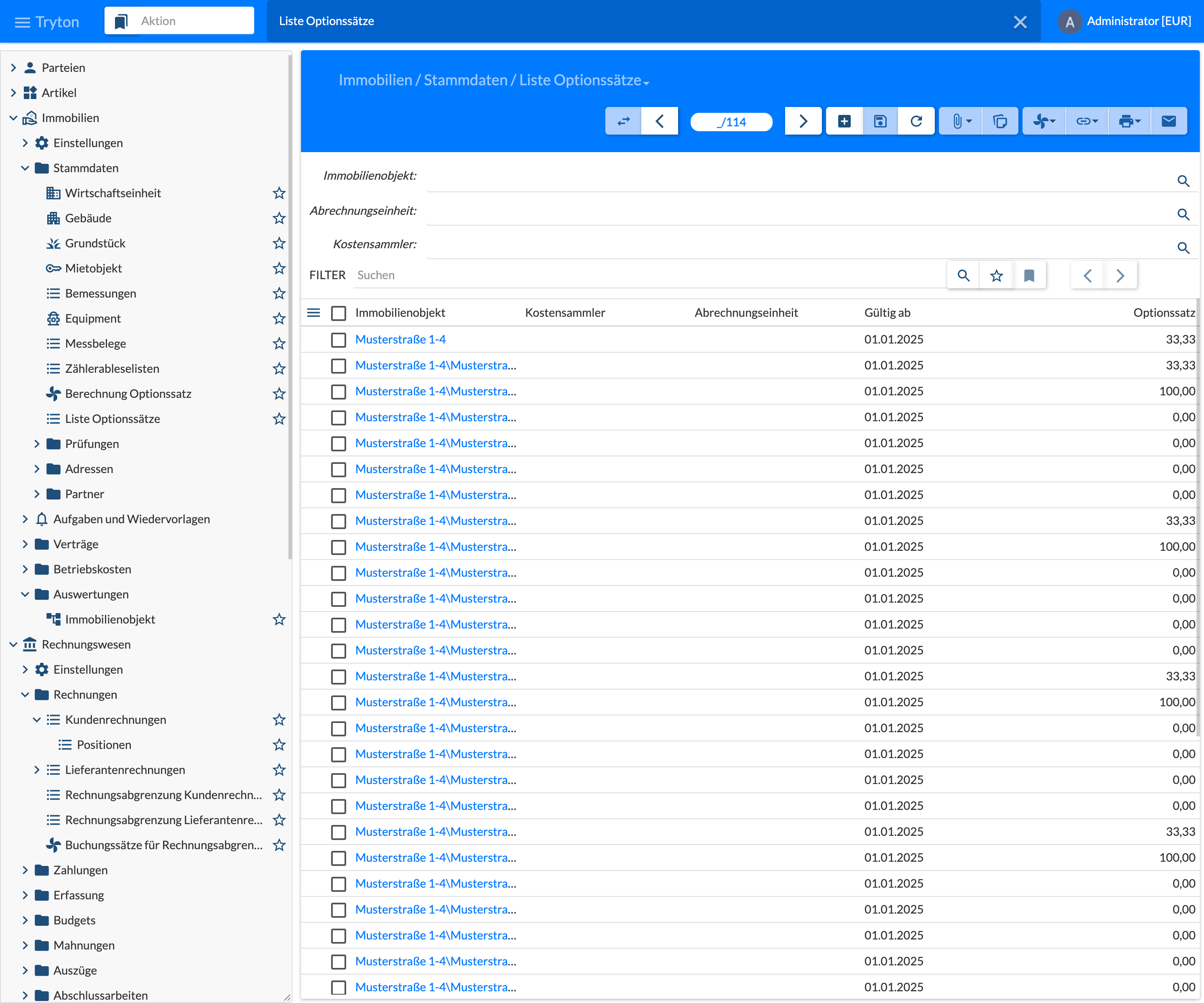
Open the menu Immobilien › Stammdaten › Liste Optionssätze (Real Estate › Master Data › Option Rates). The list shows all booked option rates with real estate object, settlement unit or billing unit, Gültig ab (valid from) and Optionssatz (option rate) in percent. The fields Immobilienobjekt, Abrechnungseinheit and Kostensammler restrict the list. The list is for reference only and cannot be edited; entries are created by the wizard or in the tab Optionssatz of the object.
Which option rate is proposed on a purchase invoice depends on the most specific reference of the invoice line – object before settlement unit before billing unit before property – and on the invoice date: the last entry with Gültig ab on or before that date applies. See 4.1 Invoices.