5.1 Property
Getting Started
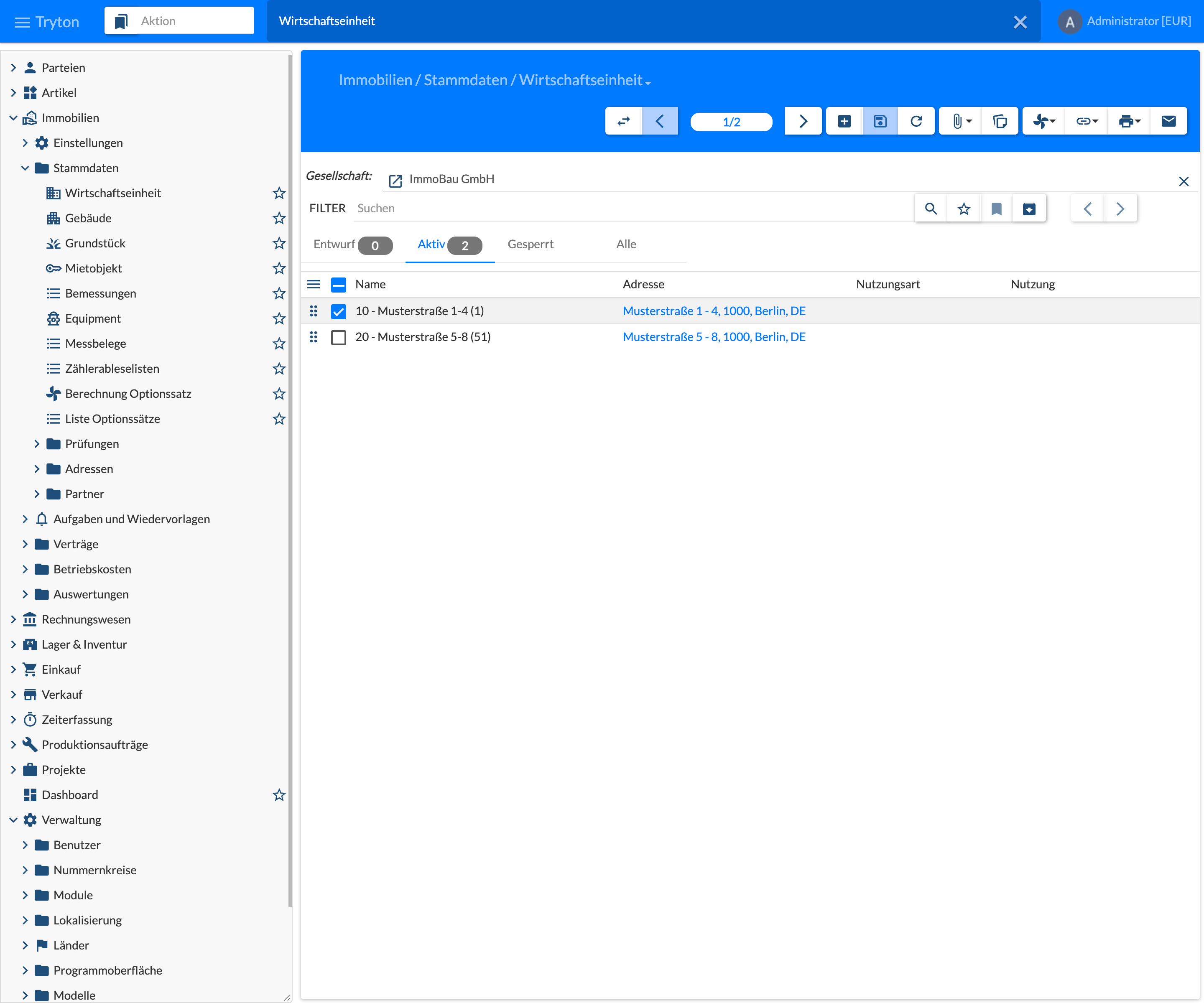
The property (Wirtschaftseinheit) is the top level of the real estate master data. Buildings, land and rental objects belong to it.
Open the menu Immobilien › Stammdaten › Wirtschaftseinheit (Real Estate › Master Data › Property). The list shows the properties of the company displayed at the top with name, address, type of use and use. The tabs Entwurf (Draft), Aktiv (Active), Gesperrt (Locked) and Alle (All) filter by state; the number shows the count.
- Create: button + (New) in the toolbar
- Edit: select a row and press Enter or use the Switch view button to open the form
Create and Edit
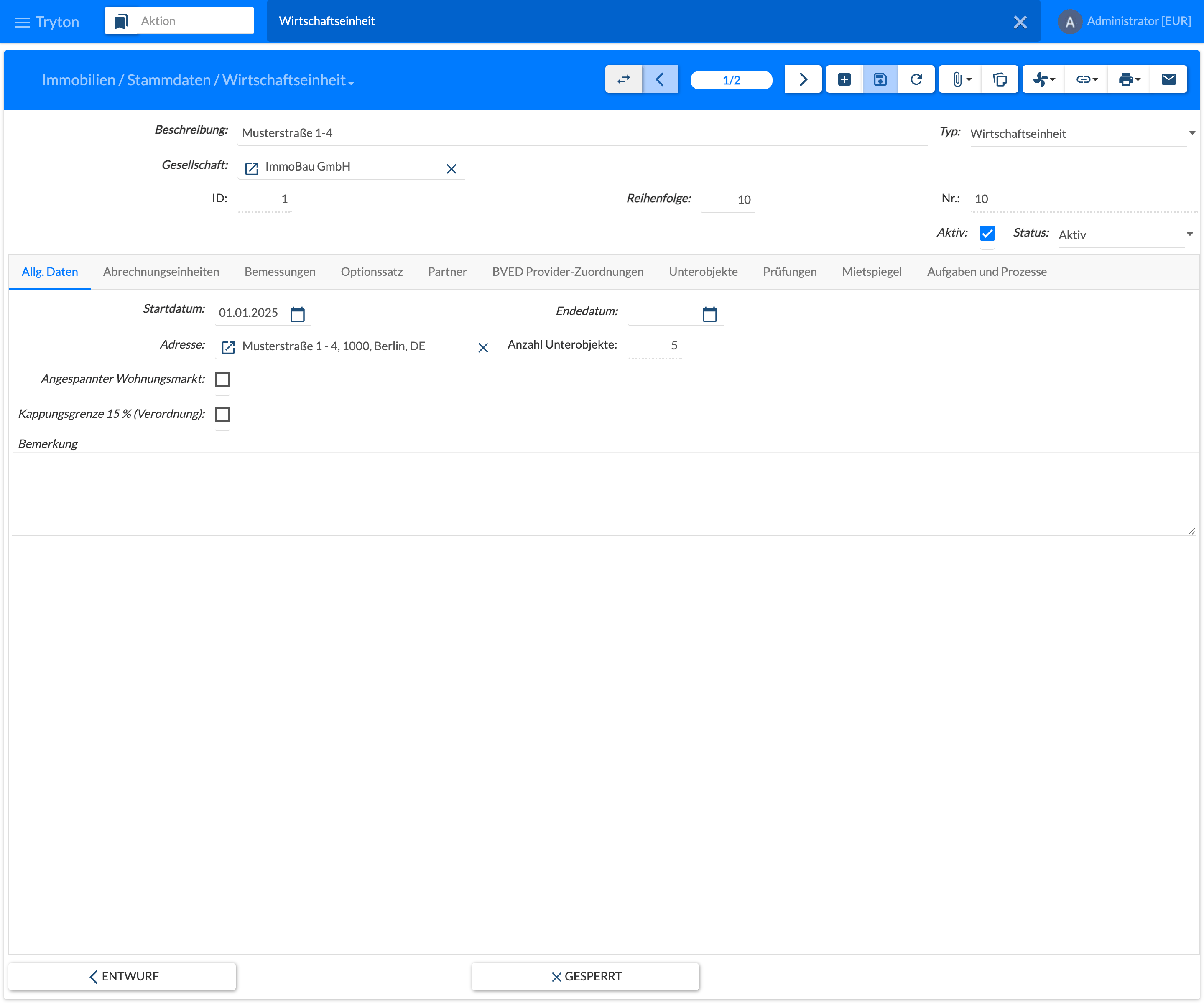
| Field | Description |
|---|---|
| Beschreibung (Description) | Name of the property, e.g. the address. Required. |
| Typ (Type) | Kind of object, here Wirtschaftseinheit (Property). |
| Gesellschaft (Company) | Company the property belongs to. Required. |
| ID | Internal record number, assigned by the system. |
| Reihenfolge (Sequence) | Position within the level; must be greater than 0 and unique per level. |
| Nr. (No) | Number of the property, set by the system, read-only. |
| Aktiv (Active) | Inactive properties are hidden in lists and selection fields. |
| Status (State) | Draft, Active, Locked or Deactivated. The state is changed with the buttons at the bottom of the form (e.g. Entwurf, Gesperrt). |
Tab Allg. Daten (General)
The tab is shown in the figure above.
| Field | Description |
|---|---|
| Startdatum (Start Date) | Start of the property. Required. |
| Endedatum (End Date) | End of the property, empty = unlimited. |
| Adresse (Address) | Address of the property, see 11.1 Reports and Analyses – Addresses. |
| Anzahl Unterobjekte (Number of Sub-Objects) | Number of directly assigned buildings and land; calculated. |
| Angespannter Wohnungsmarkt (Tight Housing Market) | The property is located in an area with a tight housing market according to state regulation (relevant for the cap rule of index rents). |
| Kappungsgrenze 15 % (Reduced Cap 15 %) | The property is located in an area where state regulation lowers the cap for rent increases up to the local comparative rent from 20 % to 15 % within three years (§ 558 (3) BGB). |
| Bemerkung (Comment) | Free text. |
Tab Abrechnungseinheiten (Billing Units)
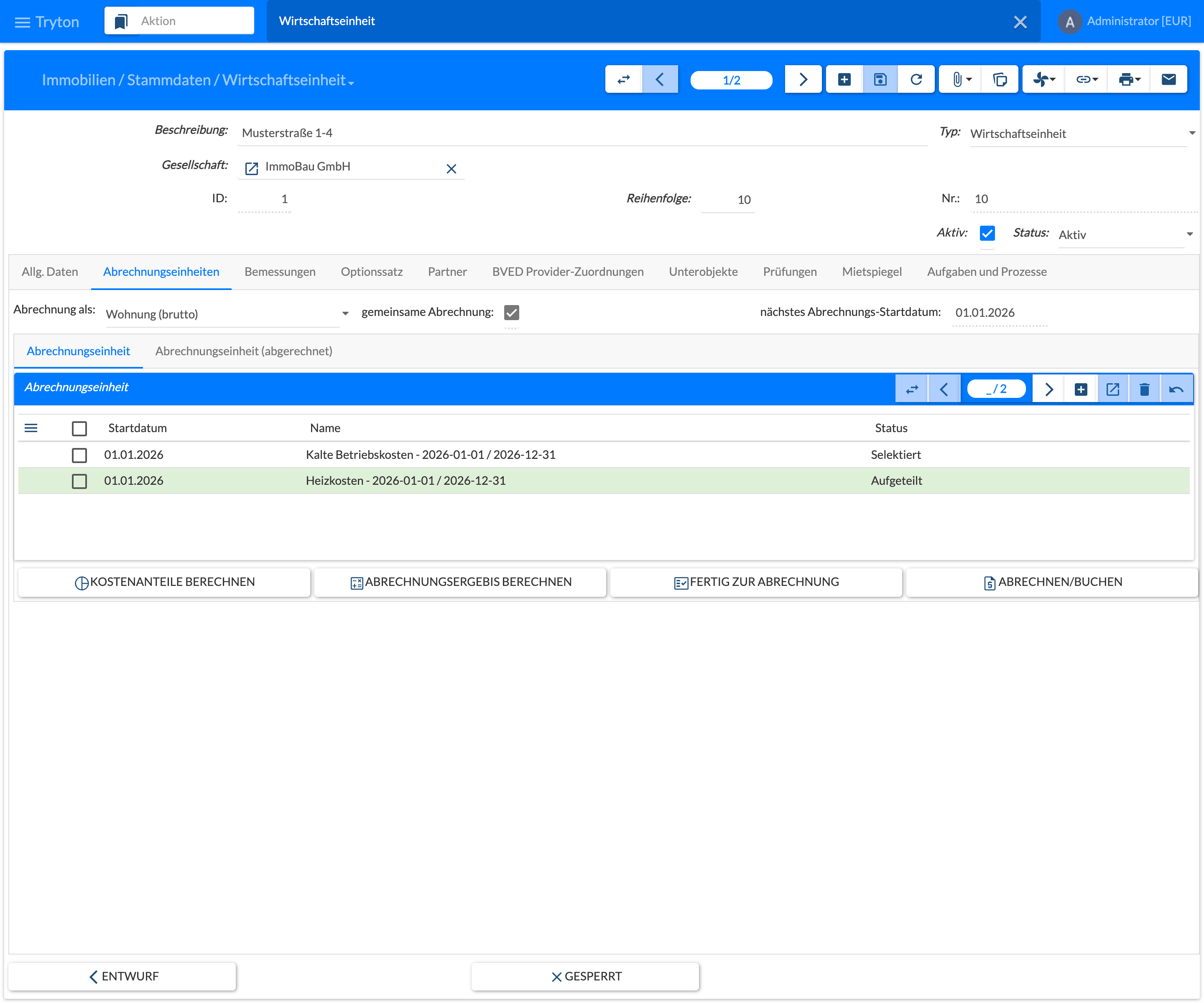
The tab shows the billing units of the operating cost settlement that belong to this property and offers the settlement steps for all billing units at once.
| Field | Description |
|---|---|
| Abrechnung als (Billing as) | Wohnung (brutto) (residential, gross) or Gewerbe (netto) (commercial, net): defines how operating costs are billed. Can only be changed in state Draft. |
| gemeinsame Abrechnung (Collective Billing) | All billing units with the same start date are billed together. Billing is then triggered here on the property, not on the individual billing unit. Can only be changed in state Draft. |
| nächstes Abrechnungs-Startdatum (Next Billing Start Date) | Earliest start date of all billing units not yet billed; calculated. Billing units with this start date are highlighted in green in the list. |
| Abrechnungseinheit (Billing Unit) | List of open billing units with start date, name and state. |
| Abrechnungseinheit (abgerechnet) (Billing Unit, billed) | List of billing units already billed. |
The buttons below the list apply to all billing units with the next billing start date:
| Button | Effect |
|---|---|
| Kostenanteile berechnen (Compute Cost Shares) | Computes the cost shares, see 7.3 Cost Shares and Allocation Keys. |
| Abrechnungsergebnis berechnen (Compute Settlement Result) | Computes the settlement result. |
| Fertig zur Abrechnung (Ready for Billing) | Sets the billing units to ready for billing. |
| Abrechnen/Buchen (Bill/Post) | Opens the billing wizard, see 7.5 Performing the Operating Cost Settlement. Only billing units in state ready for billing are billed. |
Tab Bemessungen (Measurements)
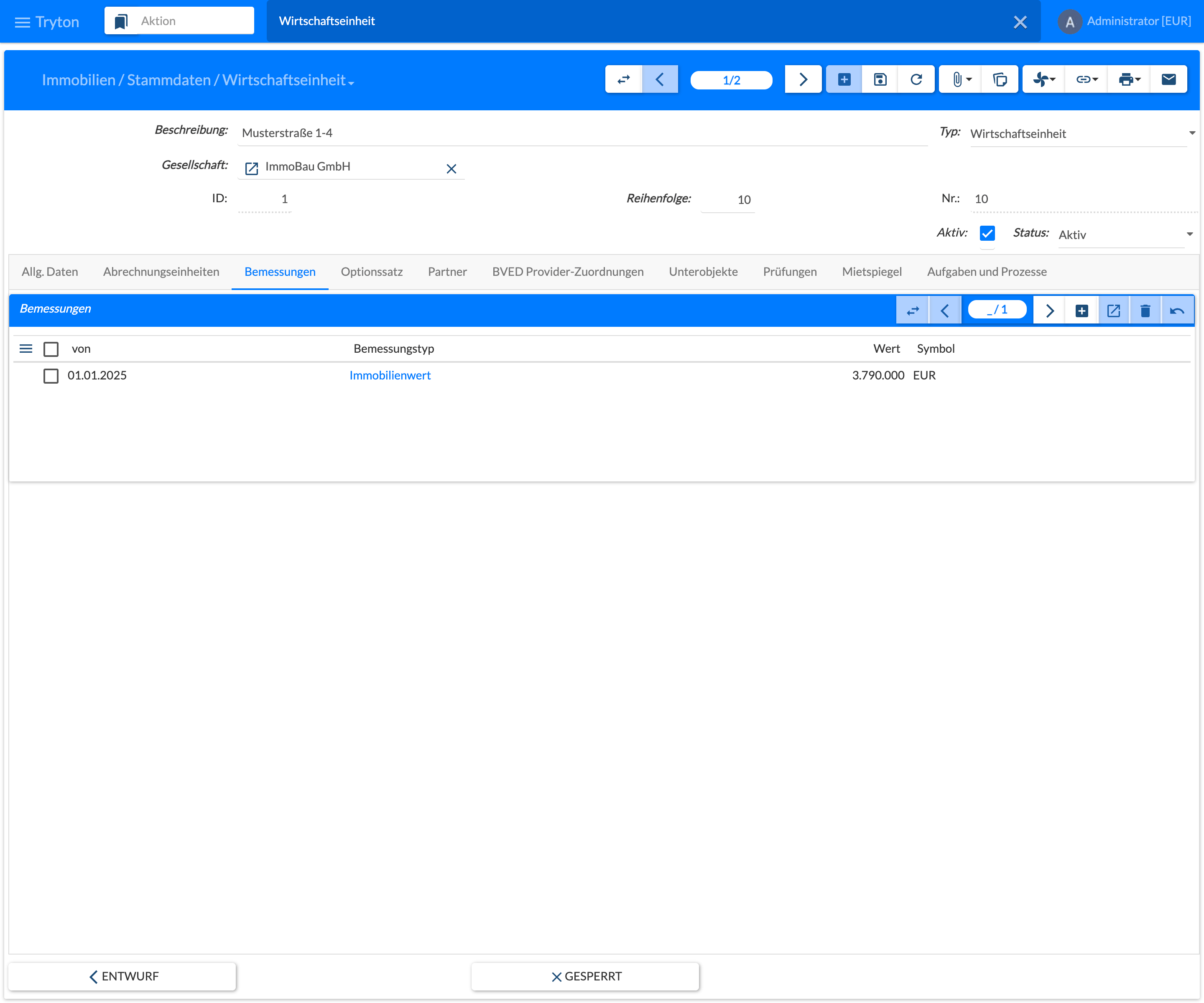
Measurements are time-dependent values of the property, e.g. areas or the property value. Among other things they are the basis for allocation keys and the option rate.
| Column | Description |
|---|---|
| von (from) | Date from which the value applies. |
| Bemessungstyp (Measurement Type) | Kind of measurement, e.g. Immobilienwert (property value) or Wohn/Nutzfläche (living/usable area); the types are defined in 2.5.3 Real Estate Master Data. |
| Wert (Value) | Value of the measurement. |
| Symbol | Unit of the value, e.g. EUR or m². |
In detail: 11.1 Reports – Measurements.
Tab Optionssatz (Option Rate)
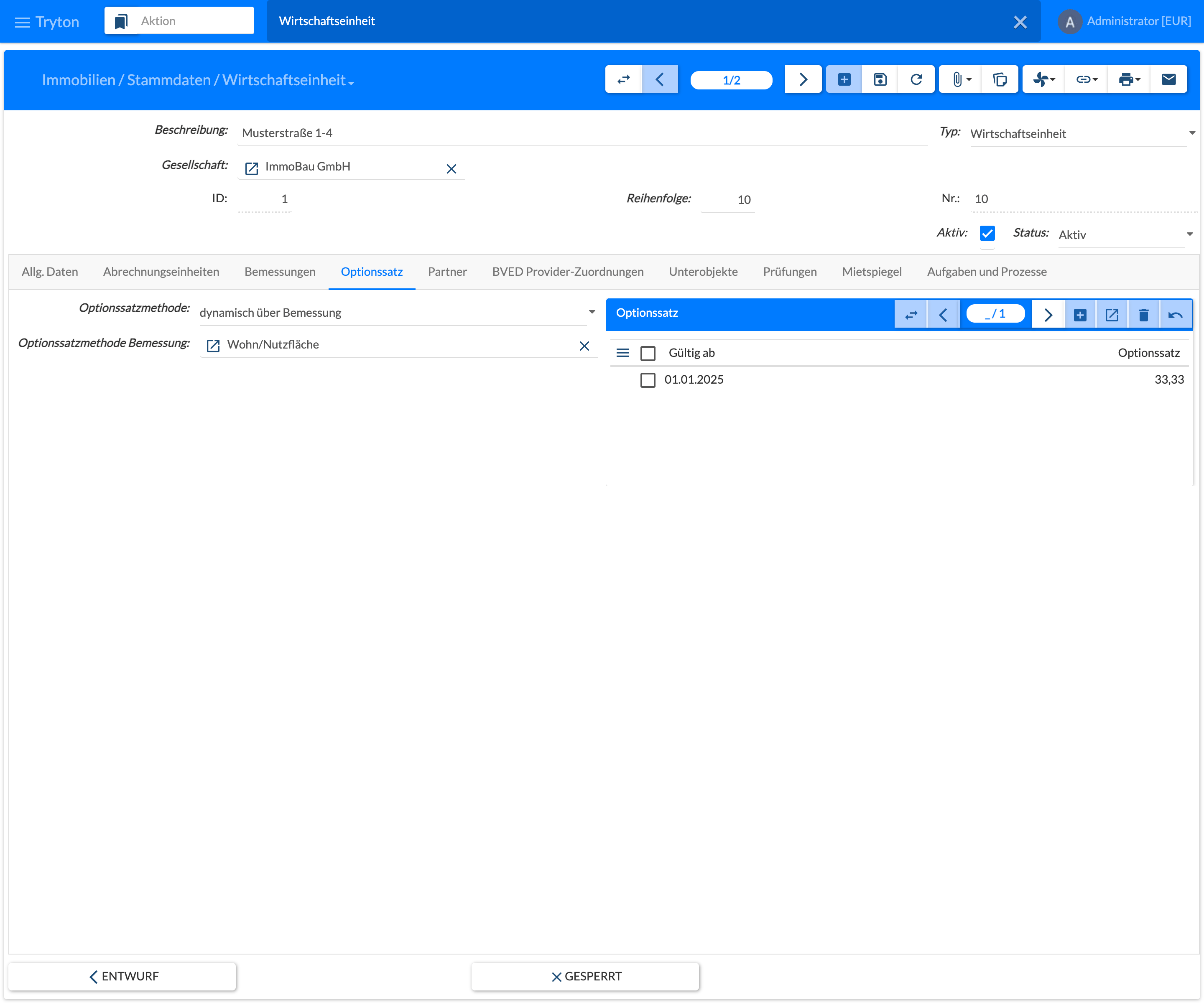
The option rate states which share of the input VAT on purchase invoices for the property is deductible (option for VAT, § 9 UStG). It is proposed automatically on purchase invoices. If the company is set to always book input VAT as an expense, the tab is hidden.
| Field | Description |
|---|---|
| Optionssatzmethode (Option Rate Method) | optiert nicht (0,0 %) fix (not opted, fixed 0 %), optiert (100,0 %) fix (opted, fixed 100 %), Optionssatz fix nach Wert (fixed by value) or dynamisch über Bemessung (dynamic by measurement – calculated from the measurements of the rental objects). |
| Optionssatzmethode Bemessung (Option Measurement Type) | Only with “dynamic by measurement”: measurement type used for the calculation, e.g. living/usable area. If a measurement group is selected, all its measurement types are summed per rental object. |
| Optionssatz (Option Rate) | History of option rates with Gültig ab (valid from) and the rate in percent. |
In detail: 5.6 Option Rates.
Tab Partner (Parties)
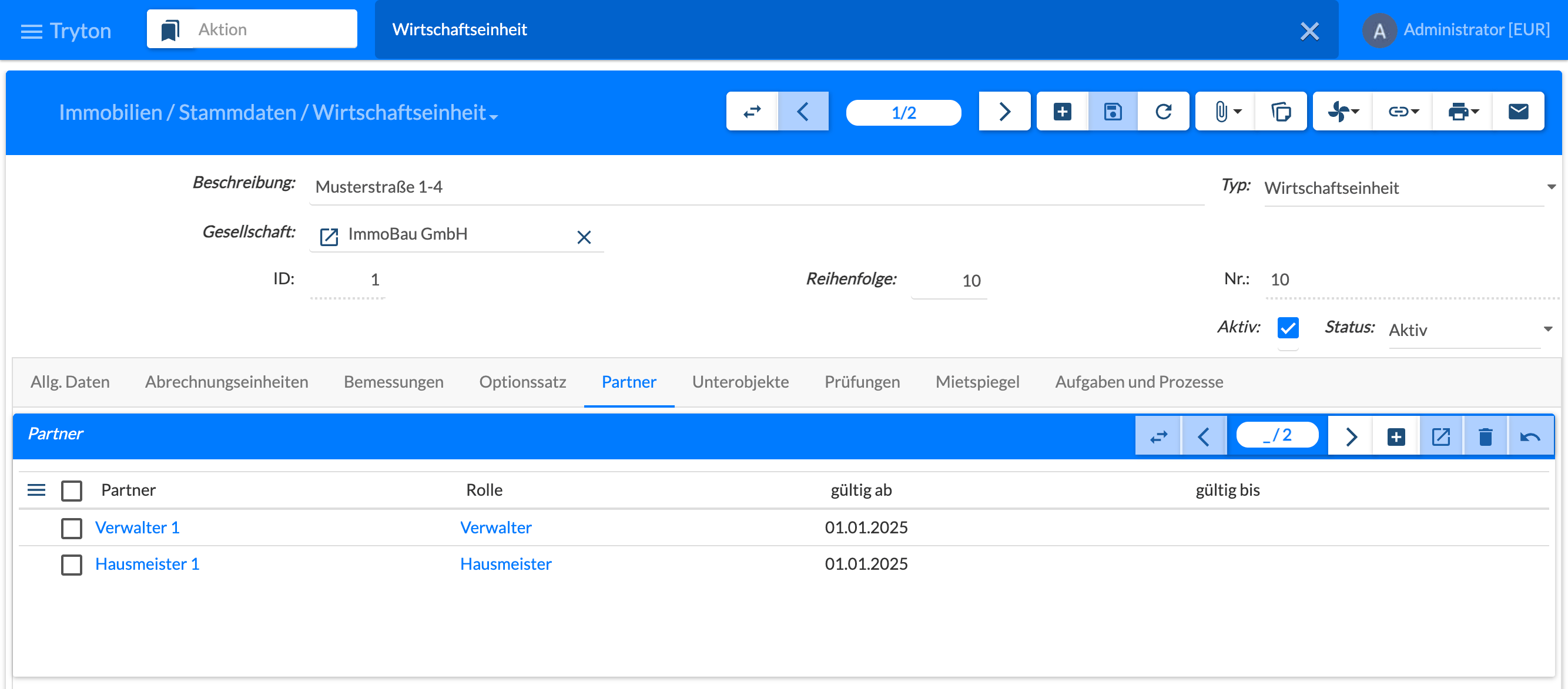
Here parties are assigned to the property in a role, e.g. owner, administrator or caretaker. Among other things, the role determines the responsibility for tasks.
| Column | Description |
|---|---|
| Partner (Party) | Business partner, see 3.1 Managing Parties. |
| Rolle (Role) | Role of the party; roles are defined in 2.5.2 Business Partners. |
| gültig ab / gültig bis (valid from / to) | Period of the assignment; empty = unlimited. |
The module ships these roles:
| Role | Object types | Use |
|---|---|---|
| Hausmeister (Caretaker) | Property | Default role. Responsible for the smoke detector check and for the first two steps of the process vacancy / reletting. |
| Verwalter (Administrator) | Property | Responsible for the annual walkthrough. |
| Eigentümer (Owner) | Property, rental object | Owner of the property or of a single unit, e.g. a condominium. |
No role is shipped for buildings, land and equipment. The object types a role can be used for are set on the role in 2.5.2 Business Partners.
In detail: 3.3 Party Roles for Properties and Contracts.
Responsibility for Tasks and Processes
The party assignment determines which user receives a task – e.g. for processes and task rules on the property:
- The task type defines a responsible party role, e.g. caretaker or property manager, see 2.5.7 Tasks and Processes.
- On the object the party holding this role on the key date is searched (in the figure e.g. Verwalter 1). The most specific level wins: rental object before building before property; on one level the assignment with the latest gültig ab (valid from).
- This party must be an employee of the company, see 3.2 Companies and Employees.
- The employee must be assigned to exactly one active user (tab Benutzer, list Mitarbeiter), see 2.3 Users, Login and Permissions. This user becomes the Zuständiger Benutzer (responsible user) of the task.
If a link of the chain is missing, the party is only shown on the task; the user or group entered on the task type is then responsible.
Tab BVED Provider-Zuordnungen (BVED Provider Assignments)
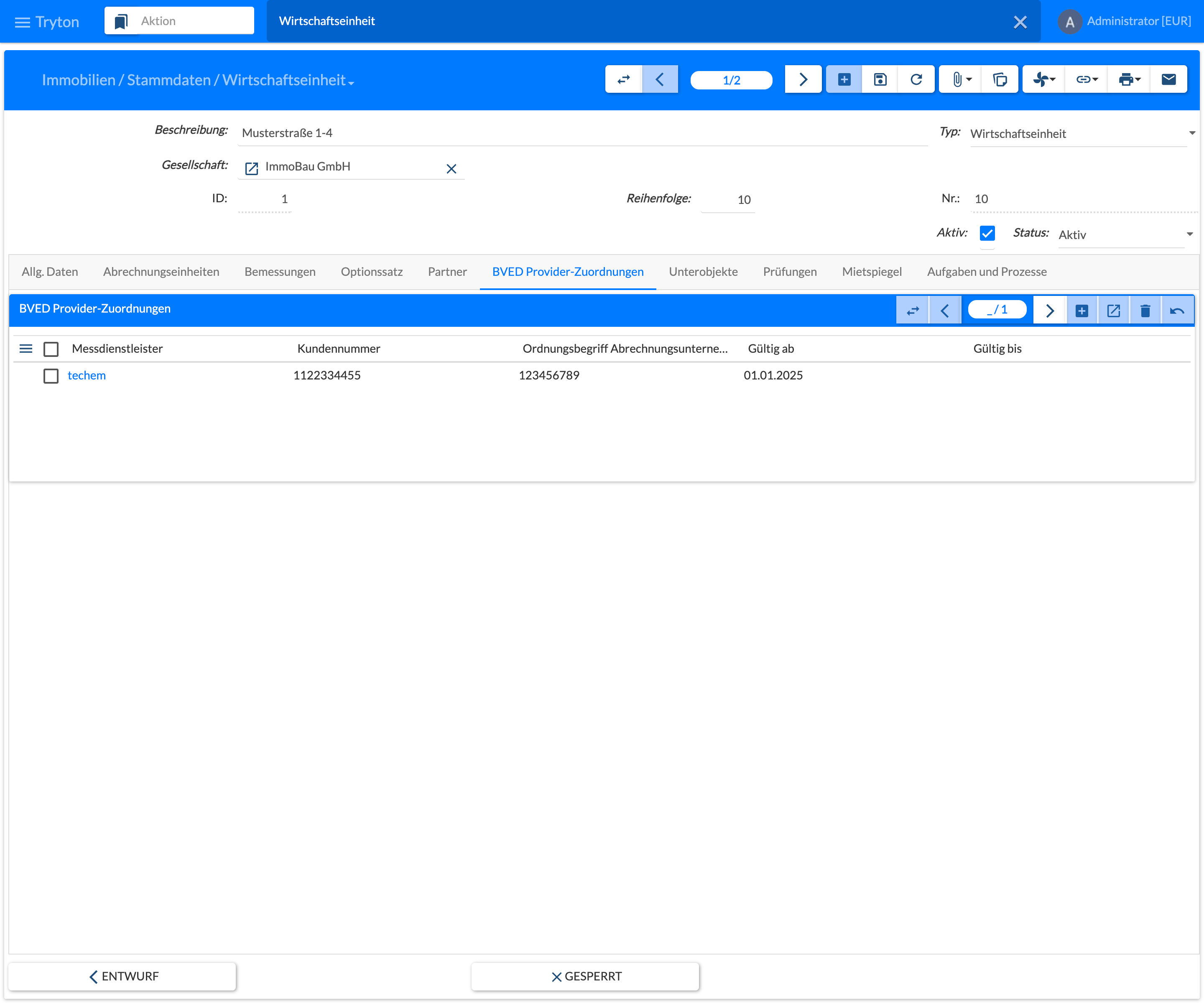
Overview of the assignments to metering service providers for data exchange according to BVED. The tab is only shown if at least one assignment exists. The assignments are maintained in 7.8 External Billing (BVED).
| Column | Description |
|---|---|
| Messdienstleister (Service Provider) | BVED provider, e.g. techem. |
| Kundennummer (Customer Number) | Customer number of this company at the provider (A record field 3). |
| Ordnungsbegriff Abrechnungsunternehmen (Provider Property Number) | 9-digit property number assigned by the provider to this property or building. |
| Gültig ab / Gültig bis (valid from / to) | Period of the assignment. |
Tab Unterobjekte (Sub-Objects)
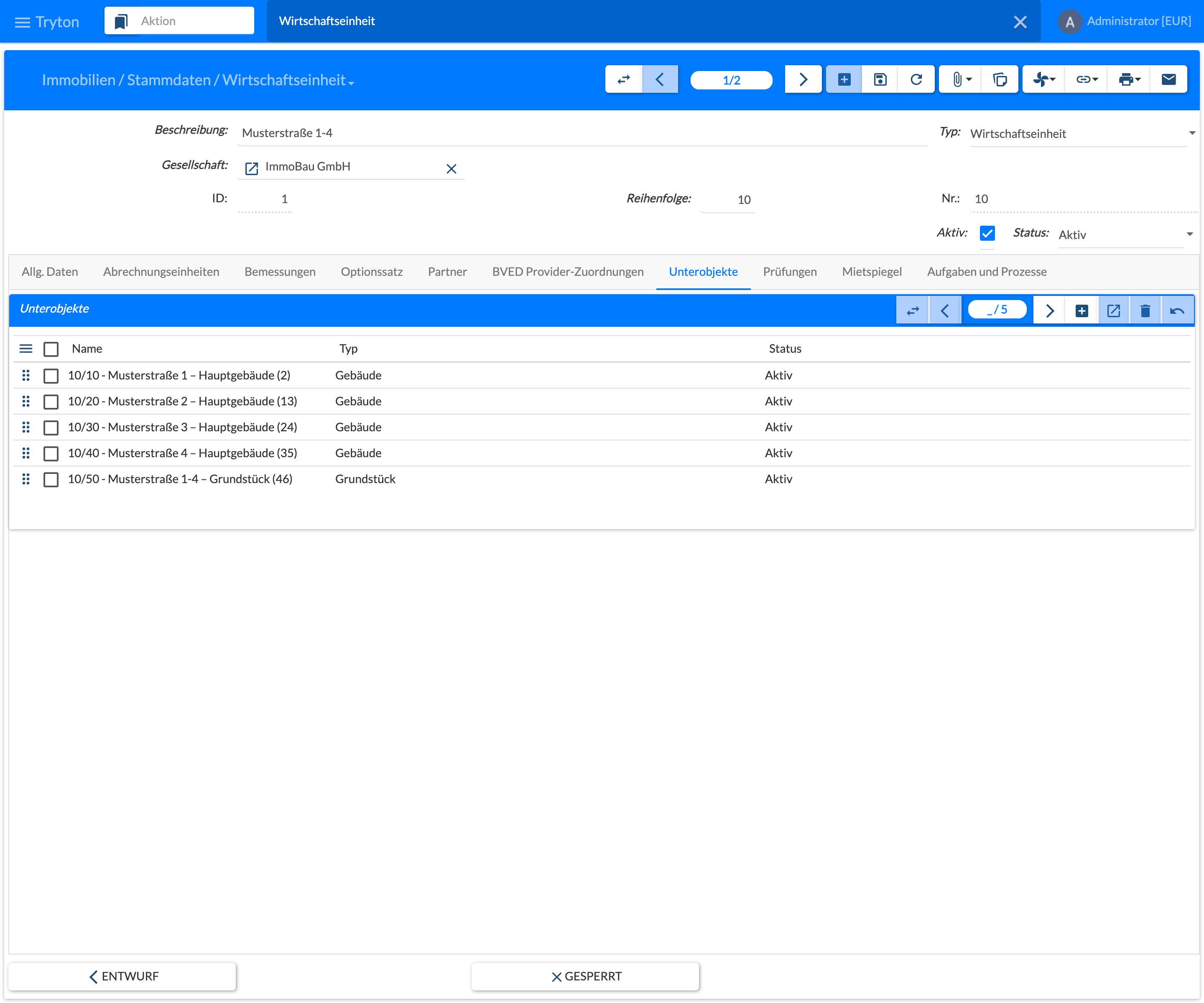
The objects directly below the property, e.g. buildings and land, with name, type and state. The name contains the numbers of the levels, e.g. “10/20 - Musterstraße 2 – Hauptgebäude”.
The system checks on saving which object types may be placed below each other:
| Object | Allowed sub-objects |
|---|---|
| Property | Building, land, rental object, equipment |
| Building | Building (e.g. side wing), rental object, equipment |
| Land | Rental object, equipment |
| Rental object | Equipment |
| Equipment | Equipment |
The property itself has no parent object.
In detail: 5.2 Buildings and Land.
Tab Prüfungen (Inspections)
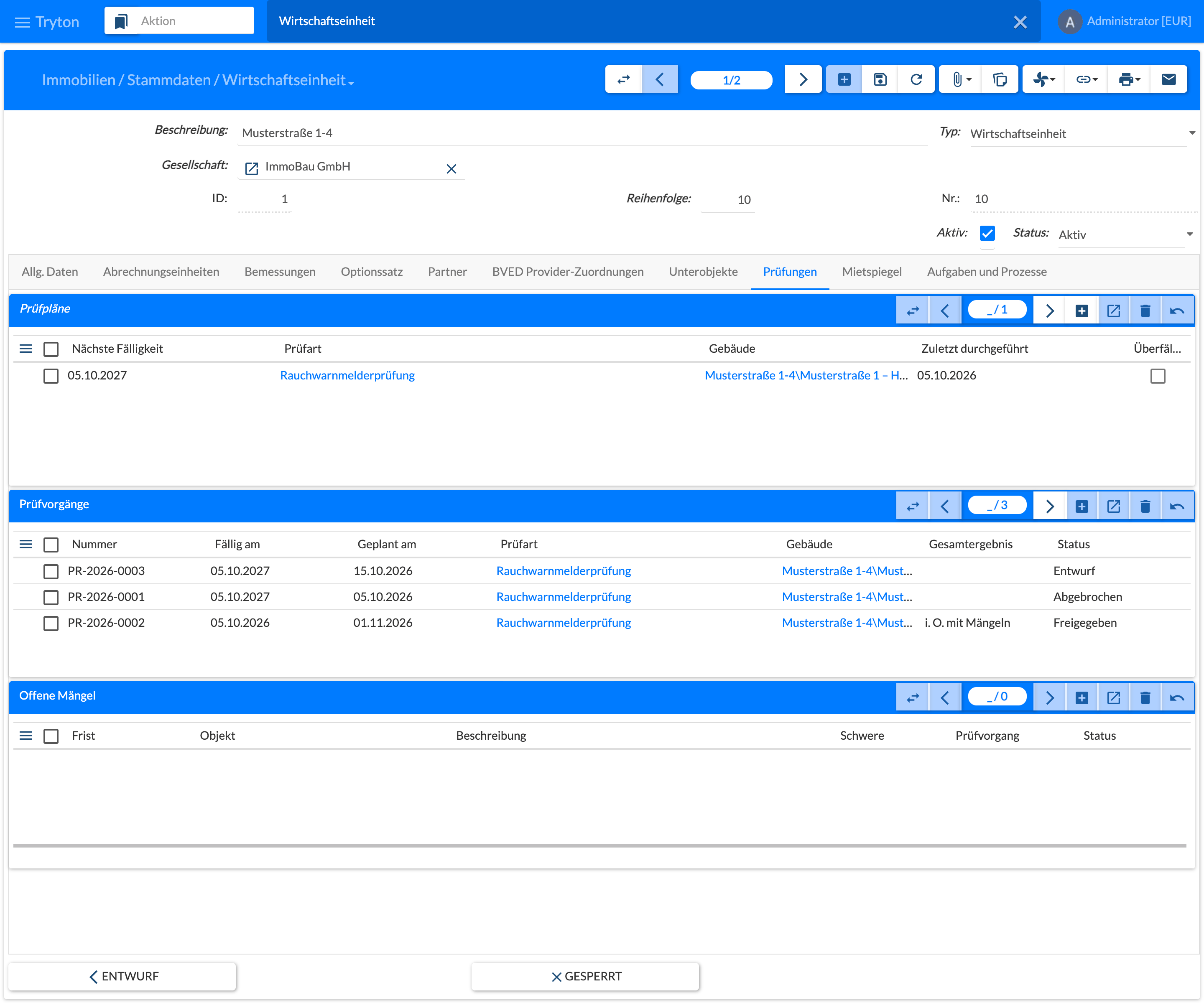
Overview of the recurring inspections of the property, e.g. smoke detector inspection.
| Area | Content |
|---|---|
| Prüfpläne (Inspection Plans) | Next due date, inspection type, building, last performed, overdue. |
| Prüfvorgänge (Inspections) | Number, due date, planned date, inspection type, building, overall result and state of the individual inspections. |
| Offene Mängel (Open Defects) | Deadline, object, description, severity, inspection and state of the open defects. |
The module ships two inspection types. Both are carried out yearly per building and require approval:
| Inspection type | Content |
|---|---|
| Jährliche Objektbegehung (Annual Walkthrough) | Walkthrough of the building with the checklist “Annual Walkthrough - Building”, e.g. roof, entrance, staircase, escape routes, basement and outdoor areas. Responsible: the administrator. Legal basis: duty to maintain traffic safety (§ 823 BGB). |
| Rauchwarnmelderprüfung (Smoke Detector Check) | One inspection per building with one line per apartment (type of use residential) and the checklist “Smoke Detectors - per Apartment”. The equipment with the equipment kind smoke detector is included. Responsible: the caretaker; access to the apartment must be arranged. Legal basis: state building code (e.g. § 48 (4) BauO Bln) and DIN 14676-1. |
Inspection plans are created on the property and the building. Land has no such tab; for rental objects and equipment it shows the inspection lines and open defects.
In detail: 8 Maintenance.
Tab Mietspiegel (Rent Survey)
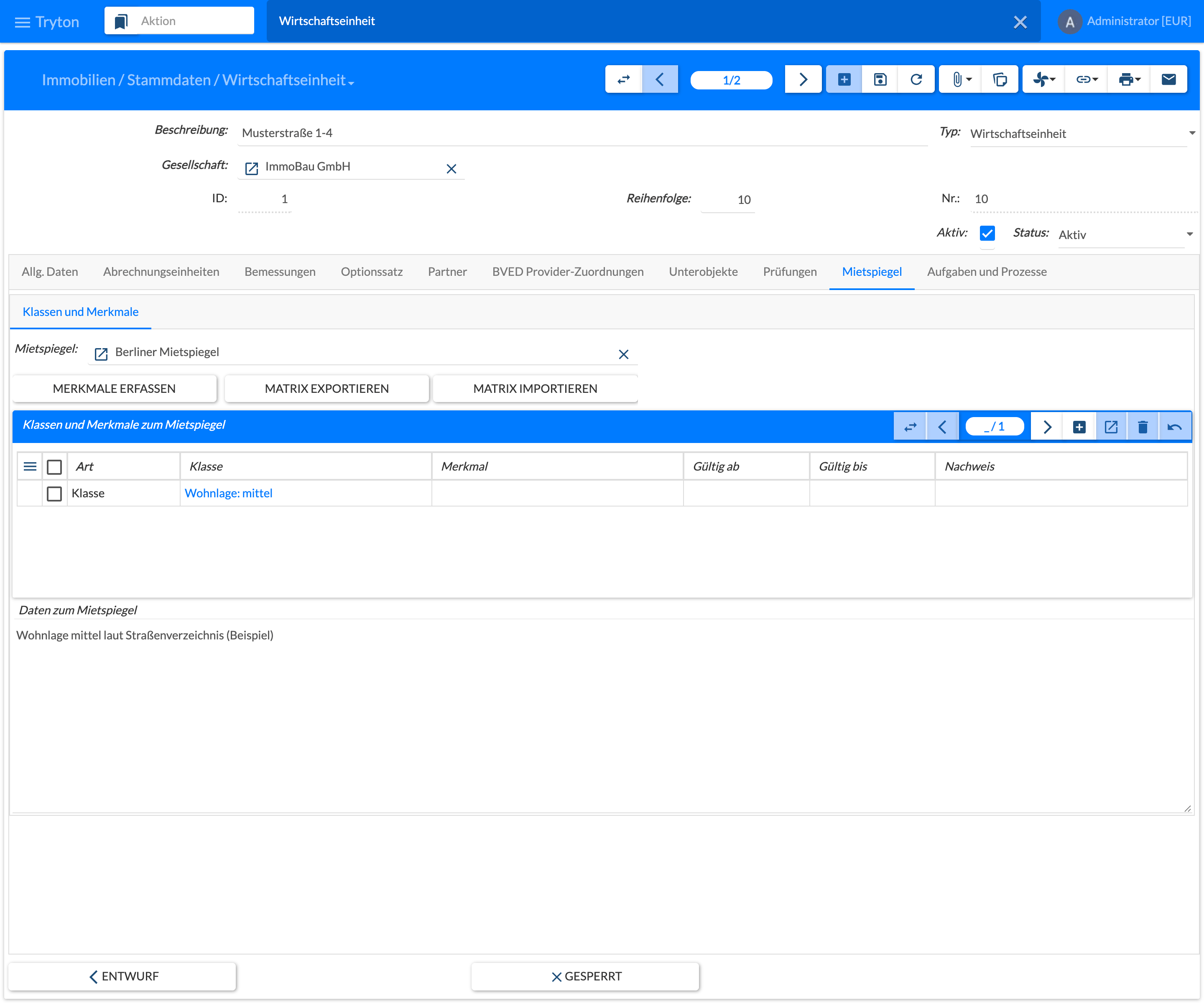
Rent survey data for the residential leases of the property, e.g. the residential location.
| Field | Description |
|---|---|
| Mietspiegel (Rent Survey) | Rent survey for the residential leases of the property, e.g. Berliner Mietspiegel. |
| Merkmale erfassen (Assign Features) | Checklist of the features of this level. |
| Matrix exportieren / Matrix importieren (Export / Import Matrix) | Export the classes and features of all apartments or buildings as a CSV file, edit it e.g. in a spreadsheet and import it again. |
| Klassen und Merkmale zum Mietspiegel (Classes and Features) | Kind (class or feature), class, feature, valid from, valid to and evidence. |
| Daten zum Mietspiegel (Rent Survey Data) | Remarks and reasons (e.g. reference in the street directory) – shown in the calculation record, not used for the calculation. |
In detail: 6.7 Rent Adjustments.
Tab Aufgaben und Prozesse (Tasks and Processes)
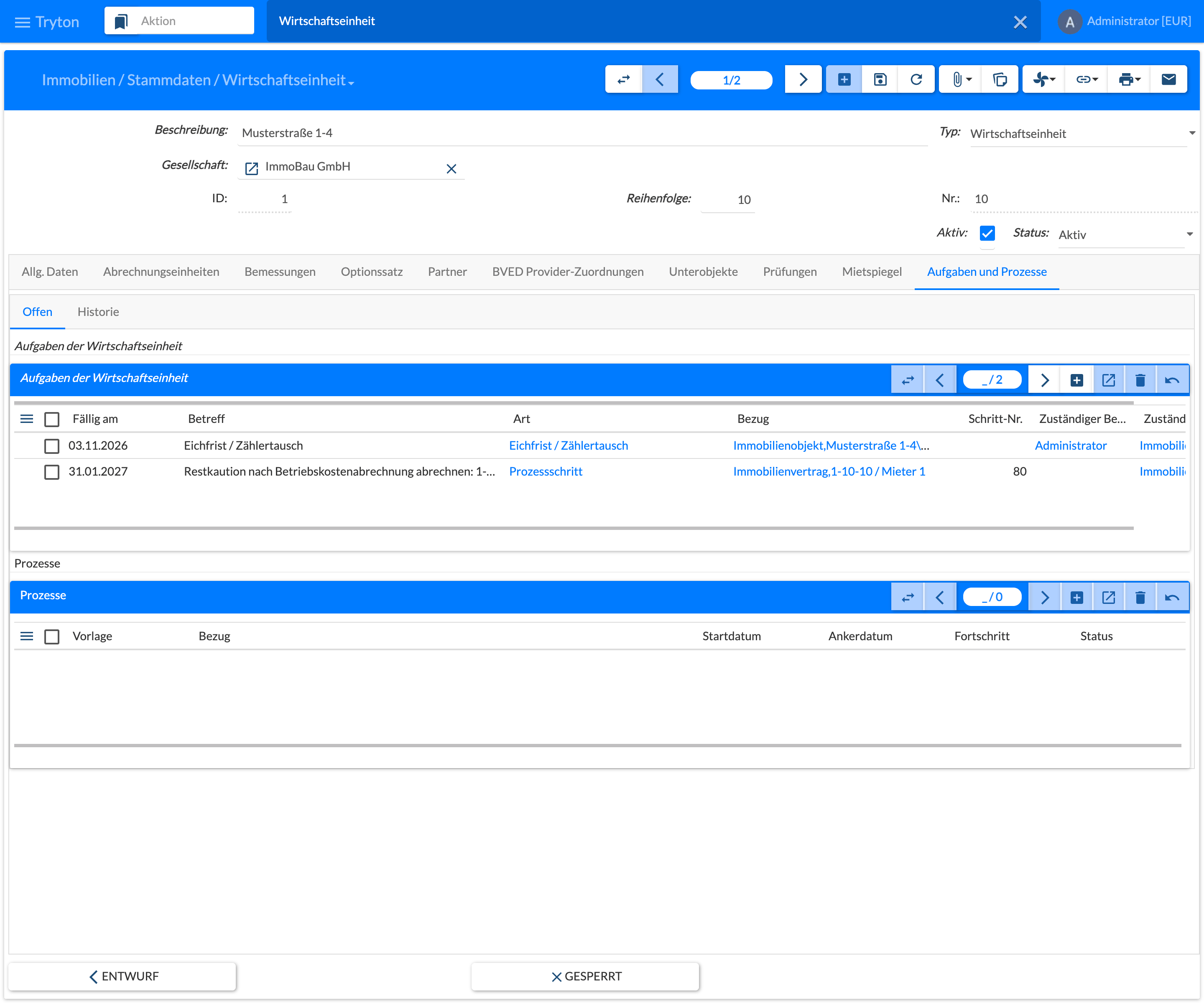
The sub-tabs Offen (Open) and Historie (History) show open resp. done and cancelled tasks and processes. On the property, the tasks and processes of its objects, contracts and billing units are shown as well.
| Area | Content |
|---|---|
| Aufgaben der Wirtschaftseinheit (Tasks of the Property) | Due date, subject, type, reference, step no. (for process steps), responsible user and responsible role. |
| Prozesse (Processes) | Template, reference, start date, anchor date, progress and state. |
These shipped task rules create tasks on objects. They are inactive on delivery and are activated in 2.5.7 Tasks and Processes:
| Rule | Objects | Task |
|---|---|---|
| Zählerstände erfassen (Record meter readings) | Property | 7 days before the next reading date: order the reading and record the readings of all meters. |
| Gebietsverordnung endet (Tight market regulation ends) | Property with tight housing market and expiry date | 2 months before expiry: check whether the regulation has been extended. |
| Eichfrist läuft ab (Meter calibration expires) | Meters | 3 months before the calibration expires: order a meter replacement or recalibration, see 5.5 Meters and Meter Readings. |
| Objekt endet (Object ends) | All objects with an end date | 3 months before the end date: end or transfer running contracts, meters and assignments. |
Inspections and defects create tasks of their own through the rules “Inspection overdue” and “Inspection defect overdue”. The process shipped for objects is Leerstand / Neuvermietung (Vacancy / Reletting); it is started on the rental object, see 5.3 Rental Objects.
In detail: 10 Tasks and Processes.
Actions
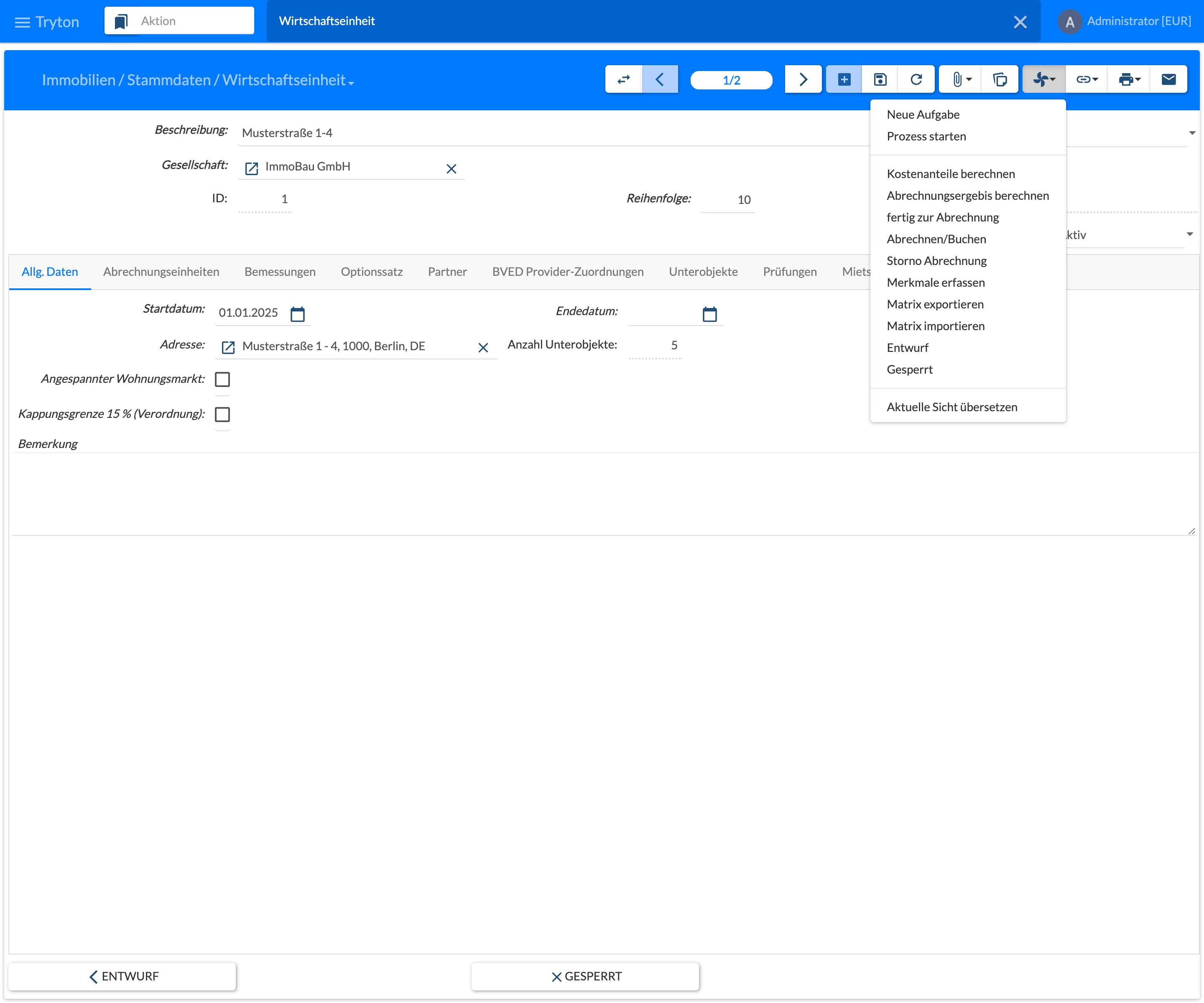
The Actions button (propeller icon) in the toolbar offers:
| Action | Effect |
|---|---|
| Neue Aufgabe (New Task) | Creates a task for the property. |
| Prozess starten (Start Process) | Starts a process from a template. |
| Kostenanteile berechnen, Abrechnungsergebnis berechnen, fertig zur Abrechnung, Abrechnen/Buchen | Same as the buttons in the tab Billing Units. |
| Storno Abrechnung (Cancel Billing) | Cancels an operating cost settlement. |
| Merkmale erfassen, Matrix exportieren, Matrix importieren | Same as the buttons in the tab Rent Survey. |
| Entwurf, Gesperrt (Draft, Locked) | Change of state, same as the buttons at the bottom of the form. |
| Aktuelle Sicht übersetzen (Translate View) | Tryton standard function to translate the labels. |
Relate
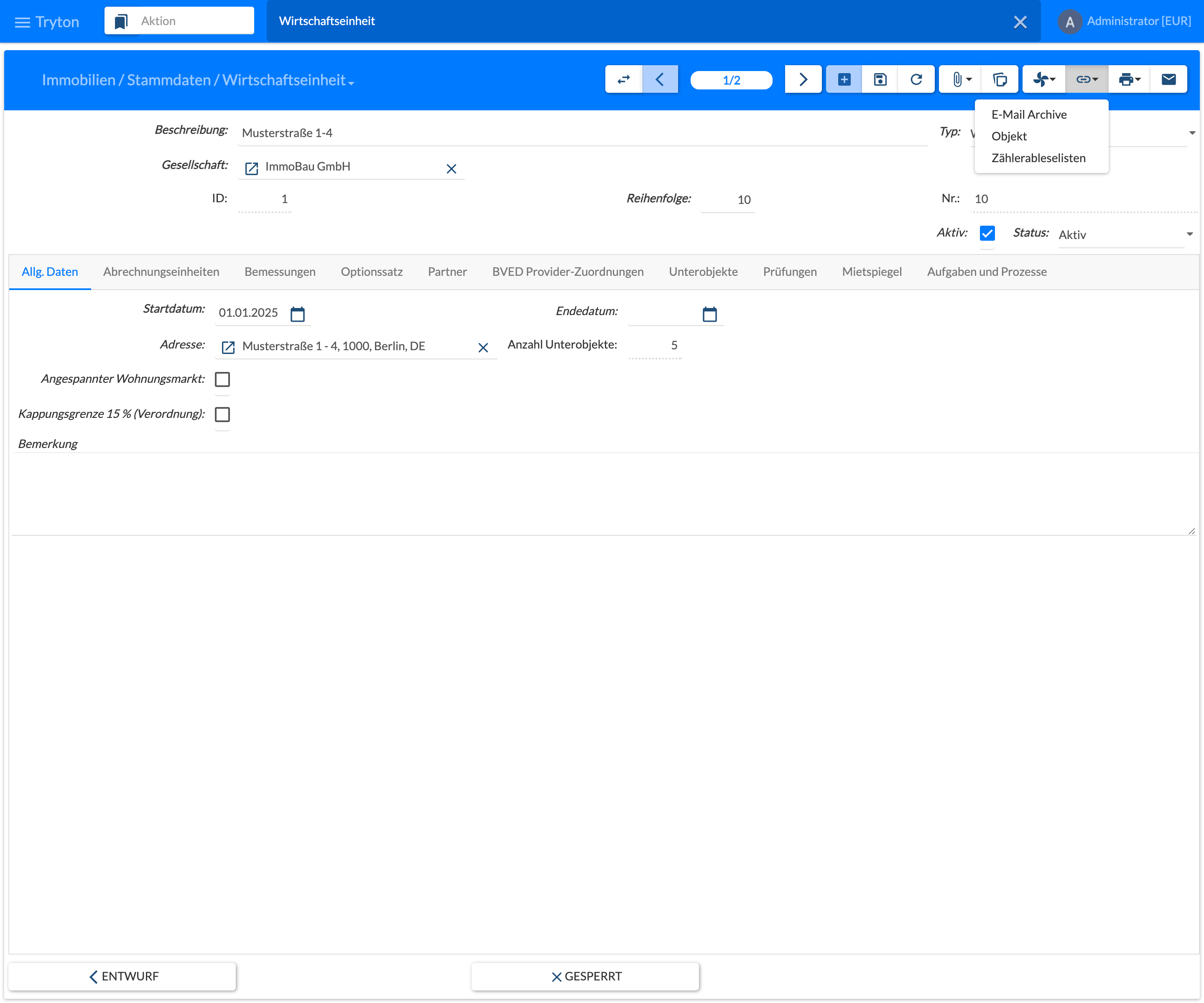
The Relate button (chain link icon) opens related records in a new tab: E-Mail Archive, Objekt (Object) and Zählerableselisten (Meter Reading Sheets).
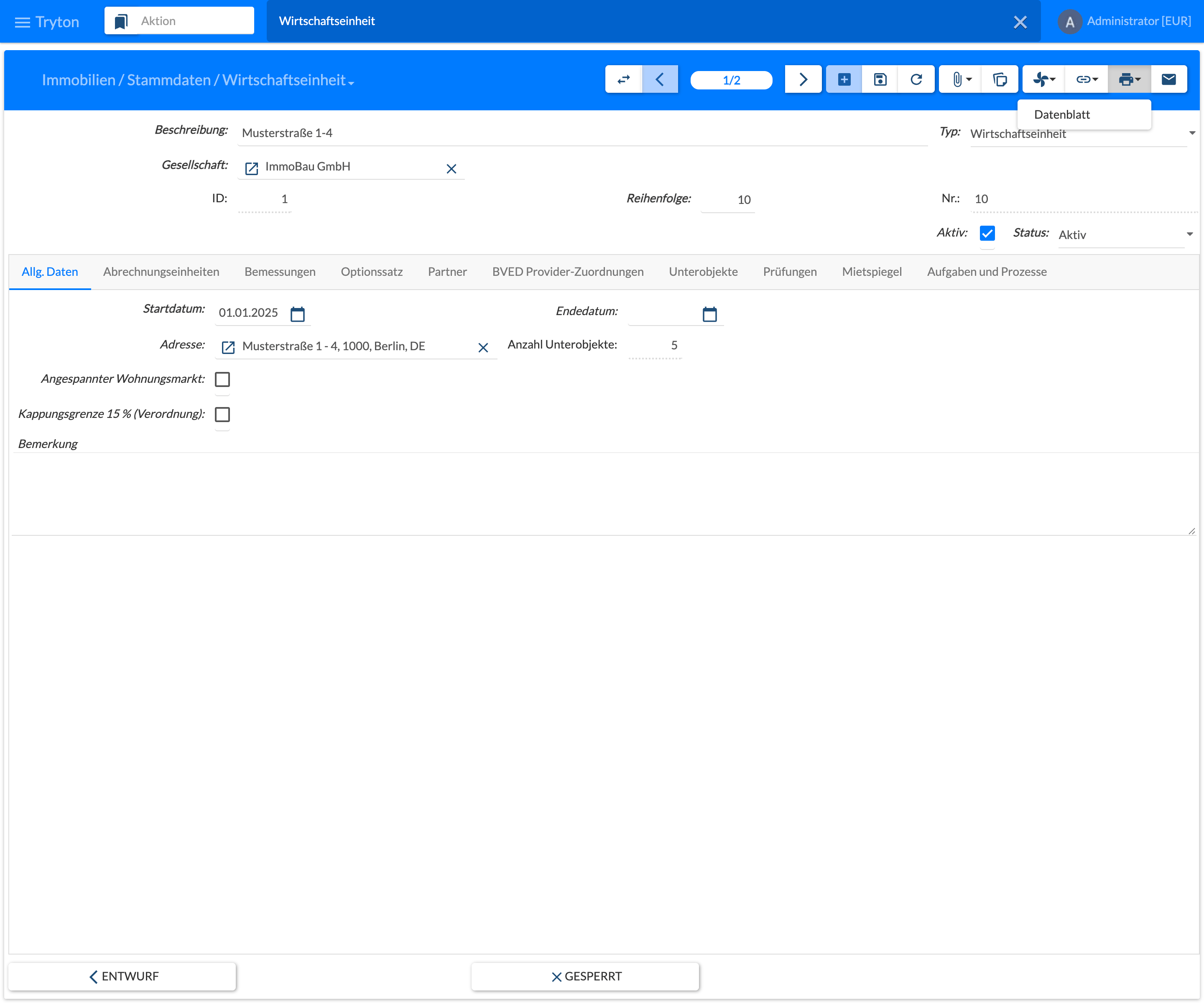
The Print button provides the Datenblatt (fact sheet) of the property.